
|
Do it yourself
| |||
| ||||


How to perform a computer reset on a BMW.
Model: BMW BMW Various
This video tutorial shows the procedure for resetting the BMW computer. To perform this procedure, you first need to turn on the ignition, then press the volume button and hold it for 30 seconds. At this point, the computer will be reset and will turn off. To turn it back on, simply press the volume button again. This procedure can be used in case there are problems with the system or it freezes without being able to perform any operation and the cause is not a blown fuse. This procedure is very simple and fast.
Posted on 9 April 2023 by ScegliAuto
Video tutorial
Related tutorials
BMW BMW Various
When the TPMS warning light comes on in the BMW, it means that it is necessary to reset the tire pressure following the guidelines indicated on the l…

BMW BMW Various
In this video we can see how to perform the procedure for relearning the panoramic roof of a BMW car; the roof is stuck and partially open. We must t…

BMW BMW Various
Today, you will learn how to change the language of the onboard computer in BMW vehicles produced in 2014. To perform this simple operation, get into…
Other guides you may be interested in |
How to Remove the Engine Air Filter on a Dacia Duster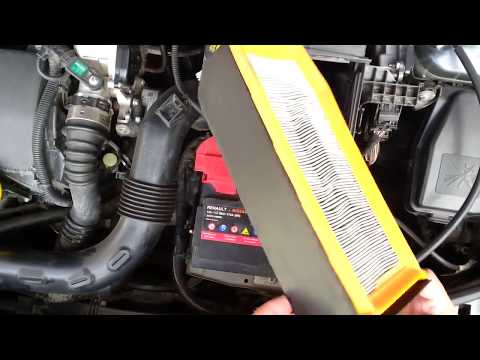
Let’s see how to remove the engine air filter on a Dacia Duster. Open the car door, pull up the engine bonnet release lever located at the bottom left of the dashboard, and lift the front bonnet, securing it with the prop rod. Remove the soundproofing panel of the engine (if present), open the air kit (unclip the securing hooks), remove the cap of the filter box, and extract the worn air filter. Insert a new filter into the designated housing (ensuring it fits snugly around the edges). Finally, reattach the cap of the air box and tighten the screws. Close the front bonnet after maintenance. by ScegliAuto More videos
|
|
For advertising on this site Write to info@scegliauto.com
ScegliAuto is not responsible for any inaccuracy of the data in the lists. To report any inaccuracy or your business (if you own the business in question), please write to info@scegliauto.com
Number of seconds to generate the page: 0.050
(c) ScegliAuto 2026 - info@scegliauto.com - Privacy policy VAT number: IT01247470535 |
