
|
Do it yourself
| |||
| ||||


How to Reset the Onboard Computer Module
Model: BMW Serie 3
E46
- Years 1998-2006
It may happen that the activation of certain warning lights, such as the control lights or ABS traction light, prompts you to reset the module of your car. You can perform this operation with a few key steps, without needing to call a mechanic. Gather your wrenches, gloves, and pliers. The vehicle must be turned off and disconnected for at least twelve hours, as if it were completely drained and unable to discharge current to us in any way. Open the hood of your car and secure it with the prop rod. Then, open the cover that protects the battery compartment to locate the positive battery connector. Carefully disconnect the positive connector by unscrewing the nut that holds it in place with a wrench. After some time, reconnect the positive connector to the corresponding terminal of the car battery. A quarter of an hour later, the dashboard warning light should be off.
Updated on 21 February 2026 by ScegliAuto
Video tutorial
Related tutorials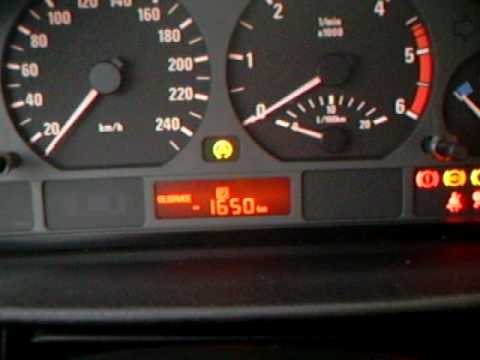
BMW Serie 3
(1998-2006 /
E46)
Today's vehicles have computers that assist with maintenance by reminding the driver of service operations when the preset mileage is reached. Among …
BMW Serie 3
(2012-2019 /
F30, F31)
In this tutorial, you will see how to reset the onboard computer of the BMW 3 Series, a very simple and quick operation, useful if the iDrive system …
BMW Serie 3
(2005-2013 /
E91, E90, E92)
To reset the onboard computer of the BMW 3 Series, turn the key to the "on" position to activate the instrument cluster, allowing you to use the radi…
Other guides you may be interested in
|
Frequently Asked QuestionsHow to Set the Clock on the Opel Zafira
Setting the clock to the current Italian time on an Opel Zafira model B is a very simple operation, also made easier by our short instructional video. The first step is to turn on the instrument panel and then press the SETTING button located on the central dashboard. Once inside the menu, use the buttons to navigate to the clock setting. Adjust the hours and minutes and restart the instrument panel. If the clock does not update, it may be necessary to diagnose the radio or the vehicle's control unit. by ScegliAuto More videos
|
|
For advertising on this site Write to info@scegliauto.com
ScegliAuto is not responsible for any inaccuracy of the data in the lists. To report any inaccuracy or your business (if you own the business in question), please write to info@scegliauto.com
Number of seconds to generate the page: 0.287
(c) ScegliAuto 2026 - info@scegliauto.com - Privacy policy VAT number: IT01247470535 |
