
|
Do it yourself
| |||
| ||||


How to Replace the Lambda Sensor of the BMW 3 Series 316i
Model: BMW Serie 3
E46
- Years:
1998, 1999, 2000, 2001, 2002, 2003, 2004, 2005, 2006
Video tutorial
Today, let's go over the main instructions for removing and replacing the lambda sensor or oxygen sensor of the BMW 3 Series, 316i version. First, raise the vehicle and start unscrewing the oxygen sensor located on the exhaust manifold using a socket wrench; then disconnect the wiring harness of the lambda sensor to remove it completely, as shown in the video. Next, clean the area of the manifold with a suitable degreaser, then install the new original lambda sensor by applying the reverse procedure!
Updated on 6 October 2026 by ScegliAuto
Related tutorials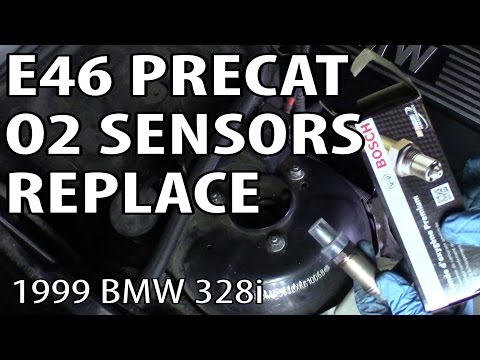
BMW Serie 3
(1998-2006 /
E46)
To replace the lambda sensor in the BMW 3 Series, open the hood to access the engine bay and its internal components. The sensor is located at the fr…

BMW Serie 3
(1990-2001 /
E36)
The lambda sensor is a device that monitors the pollutants in the exhaust gases to maintain the air-fuel ratio (kg air/kg fuel) within the optimal ef…

BMW Serie 3
(2005-2013 /
E92, E90, E91)
To replace the fuel filter of the BMW 3 Series, we need to work under the car floor: if we have the availability of a lifting bridge the operation wi…
Other guides you may be interested in |
How to lower the rear seats in the Peugeot 206?
In this tutorial, you will see how to lower the rear seats in the Peugeot 206, a very simple and quick operation, for example, if you need more space in the boot. First, open both the doors and the tailgate, then unclip the seat base and position it vertically. Next, remove the horizontal partition, locate the release levers at the ends of both seatbacks, and, by operating them, lower the seatbacks. To reassemble everything, simply follow the reverse procedure. by ScegliAuto More videos
|
|
For advertising on this site Write to info@scegliauto.com
ScegliAuto is not responsible for any inaccuracy of the data in the lists. To report any inaccuracy or your business (if you own the business in question), please write to info@scegliauto.com
Number of seconds to generate the page: 0.064
(c) ScegliAuto 2026 - info@scegliauto.com - Privacy policy VAT number: IT01247470535 |
