
|
Do it yourself
| |||
| ||||


BMW X6 - Video guides BMW X6 (2014-2019 / MK 2, F16) Where to Find the Cabin Air Filter on the BMW X6 The cabin air filter on the BMW X6 is located in a standard position for many BMW models, but access may vary depending on the production year. For the first …Read all… Posted on 30 July 2026 by ScegliAuto  BMW X6 (2019-2026 / MK 3, G06) Replacing the Exterior Door Handle on the BMW X6 These brief and simple steps will show you how to remove and replace the exterior door handle on the rear door of the BMW X6. First, open the rear door of the …Read all… Posted on 26 July 2026 by ScegliAuto  BMW X6 (2014-2019 / MK 2, F16) Where to Find the Cabin Fuse Box of the BMW X6 F16 If you own a BMW X6 F16 and want to easily locate the fuse box, read this guide and follow the steps described. First, access the front passenger seat, then …Read all… Posted on 27 June 2026 by ScegliAuto  BMW X6 (2007-2014 / MK 1, E71) Fuse Diagram and Placement for the BMW X6 This guide provides information on the diagram and placement of the various fuse boxes in the BMW X6. First, open the passenger side front door and start …Read all… Posted on 24 April 2026 by ScegliAuto  BMW X6 (2019-2026 / MK 3, G06) How to reset the tire warning light on the 2019 BMW X6 In this new guide, we will help you manually reset the tire warning light of your BMW X6 (2019). First of all, reach the driver's seat and start the central …Read all… Posted on 25 January 2026 by ScegliAuto  BMW X6 (2014-2019 / MK 2, F16) How to replace the battery in the remote control of the BMW X6 F16. Thanks to the few simple steps described in the following guide, you will be able to independently replace the battery located inside the remote control of …Read all… Posted on 28 November 2025 by ScegliAuto  BMW X6 (2014-2019 / MK 2, F16) How to replace the emblem of the manufacturer of the BMW X6 Today we will explain how to replace the manufacturer's emblem of a BMW X6 vehicle on your own and without leaving any glue residue. To replace the emblem, we …Read all… Posted on 23 November 2025 by ScegliAuto  BMW X6 (2007-2014 / MK 1, E71) What is the fuse diagram for the BMW X6? In this video we can see where the fuse boxes of the BMW X6 are located and what their respective diagrams are, to consult in case we need to check the fuses …Read all… Posted on 10 May 2025 by ScegliAuto  BMW X6 (2007-2014 / MK 1, E71) How do you replace the battery of the BMW X6? To replace the battery installed on the BMW X6, you need to open the rear hatch so that you can detach the panel covering the bottom left. This way you will …Read all… Posted on 22 December 2024 by ScegliAuto  BMW X6 (2014-2019 / MK 2, F16) How to Refill AdBlue on a BMW X6 In today's video guide, you will see the entire process needed to refill the AdBlue fluid on a BMW X6, second generation model produced from 2014 to 2019. …Read all… Posted on 30 October 2026 by ScegliAuto  BMW X6 (2019-2026 / MK 3, G06) What is the Fuse Diagram for the BMW X6? If any devices in your BMW X6 suddenly stop working, first check the status of the related fuses, which are shown in this video. Locate the first fuse box …Read all… Posted on 27 October 2026 by ScegliAuto  BMW X6 (2007-2014 / MK 1, E71) How to Reset the Service Light on the BMW X6 If the service light on your BMW X6 remains illuminated on the dashboard and you want to learn how to manually reset it, just follow this dedicated guide and …Read all… Posted on 24 October 2026 by ScegliAuto  BMW X6 (2014-2019 / MK 2, F16) How to Unlock the Automatic Transmission of the BMW X6 in an Emergency This article explains how to unlock the automatic transmission of the BMW X6 in case of a transmission failure emergency. This procedure takes less than 1 …Read all… Posted on 13 October 2026 by ScegliAuto  BMW X6 (2014-2019 / MK 2, F16) How to Replace the Cabin Air Filter on a BMW X6 F16 If the cabin air filter in your BMW X6 F16 (2014-2019) is excessively worn and you want to learn how to replace it quickly and safely, follow this procedure. …Read all… Posted on 12 October 2026 by ScegliAuto 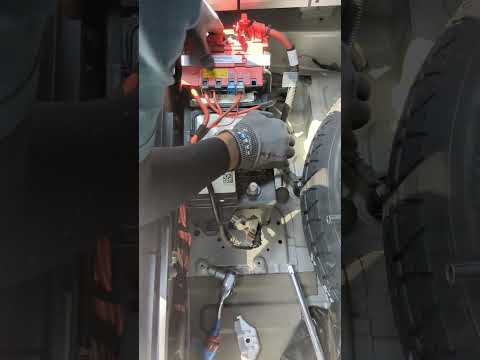 BMW X6 (2007-2014 / MK 1, E71) How to Replace the Battery in the 2012 BMW X6 If you want to replace the battery located in the engine compartment of your 2012 BMW X6, simply follow the steps described in this guide. First, turn off the …Read all… Posted on 17 September 2026 by ScegliAuto  BMW X6 (2007-2014 / MK 1, E71) Where to Find the Fuse Box of the BMW X6 If you want to locate the fuse box in your first-generation BMW X6 (2007-2014), follow the steps outlined in this guide. First, access the passenger seat and …Read all… Posted on 13 September 2026 by ScegliAuto  BMW X6 (2007-2014 / MK 1, E71) How to Reset the Oil Change Light on a BMW X6 This brief video tutorial shows you the entire procedure necessary to reset the oil change light on a BMW X6, first generation model produced from 2007 to …Read all… Posted on 12 September 2026 by ScegliAuto  BMW X6 (2019-2026 / MK 3, G06) Where to Find the Fuse Box in the BMW X6 In this guide dedicated to your BMW X6 third generation (2019-2022), we will discover where the box containing all the various fuses of the car is located. …Read all… Posted on 29 August 2026 by ScegliAuto  BMW X6 (2007-2014 / MK 1, E71) Where is the Fuse Box on a BMW X6 E71? If you want to locate the fuse box in your BMW X6 E71 (model years 2007-2014), carefully read the following guide and follow the instructions. First, …Read all… Posted on 27 August 2026 by ScegliAuto  BMW X6 (2019-2026 / MK 3, G06) What is the Fuse Diagram for the BMW X6? If any devices in your BMW X6 have suddenly stopped working, the first thing you should do is check the status of the respective fuses, which are indicated in …Read all… Posted on 14 August 2026 by ScegliAuto
Battery (4)
Transmission (1)
Key (4)
Checks and maintenance (1)
Headlight (1)
Fog lights (1)
Cabin air filter (3)
Diesel fuel filter (1)
Headlight bulb (3)
Handle (1)
Door trim panel (1)
Fuse box (11)
Door lock (1)
Side mirror (1)
AdBlue warning light (1)
Tire pressure warning light (2)
Service warning light (3)
Manufacturer emblem (1)
|
See also:How to Reset the AdBlue Warning Light on a Peugeot Boxer
To reset the AdBlue system on a 2018 Peugeot Boxer, follow these steps: Start the engine and ensure the vehicle is parked in a well-ventilated area. Locate the "MENU" button on the dashboard or steering wheel controls. Press and hold the "MENU" button until the menu options appear on the display. Use the arrow buttons or scroll wheel to access the "Vehicle Settings" or "Settings" menu. Select the "AdBlue" or "AdBlue System" option. Look for the "Recharge" or "Reset" option in the AdBlue menu. Once you find the reset option, select it and confirm your choice when prompted. The system will be reset, and a confirmation message may appear on the display. Turn off the engine and wait a few seconds. Restart the engine and check that the AdBlue system has been reset. by ScegliAuto More videos
|
|
For advertising on this site Write to info@scegliauto.com
ScegliAuto is not responsible for any inaccuracy of the data in the lists. To report any inaccuracy or your business (if you own the business in question), please write to info@scegliauto.com
Number of seconds to generate the page: 0.008
(c) ScegliAuto 2026 - info@scegliauto.com - Privacy policy VAT number: IT01247470535 |
