
|
Do it yourself
| |||
| ||||


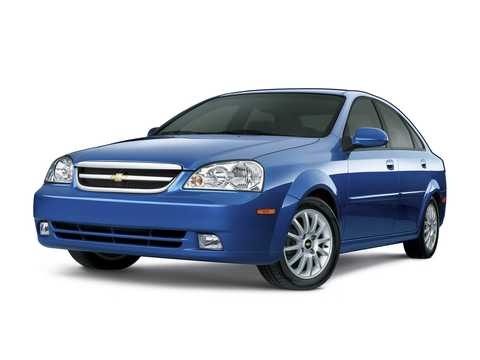
How to Replace the Battery on a Chevrolet Aveo
Model: Chevrolet Optra
MK 1
- Years:
2004, 2005, 2006, 2007, 2008, 2009, 2010, 2011, 2012, 2013
Video tutorial
If you intend to replace the battery on this model of vehicle, the description below and the images in the video will provide useful information for the correct replacement. First, locate the battery on the left side of the engine compartment. Get a wrench to loosen the support nuts of the upper mounting bracket. Remove the negative terminal first, then the positive. Pull out the battery and replace it with the new one, connecting the positive terminal first and then the negative.
Updated on 25 July 2026 by ScegliAuto
Related tutorials
Chevrolet Optra
(2004-2013 /
MK 1)
Unlike other car models, the Chevrolet Optra has two different fuse boxes. In this mini guide, we will discover the exact location of both. Before pr…
Chevrolet Optra
(2004-2013 /
MK 1)
To replace the air filter in the Chevrolet Optra, open the hood to access the air filter box, located near the right front headlight, inside the engi…

Chevrolet Optra
(2004-2013 /
MK 1)
This guide shows how to replace the fuel pump on a Chevrolet Optra Mk1. First, lift the rear seat cushion and remove the inspection cover from the fu…
Other guides you may be interested in
|
How to Set the Time in an Audi A4?
In this tutorial, you will see how to set the time in an Audi A4, a very simple and quick operation to perform after replacing the battery or when the time changes. First, insert the key and turn on the instrument cluster. Then, press the "SETUP" button located on the center console. Next, press the upper left arrow button, navigate to the "Time" option, and use the central knob to adjust the clock. Finally, set any necessary formats and save by returning to the main screen. by ScegliAuto More videos
|
|
For advertising on this site Write to info@scegliauto.com
ScegliAuto is not responsible for any inaccuracy of the data in the lists. To report any inaccuracy or your business (if you own the business in question), please write to info@scegliauto.com
Number of seconds to generate the page: 0.084
(c) ScegliAuto 2026 - info@scegliauto.com - Privacy policy VAT number: IT01247470535 |
