
|
Do it yourself
| |||
| ||||


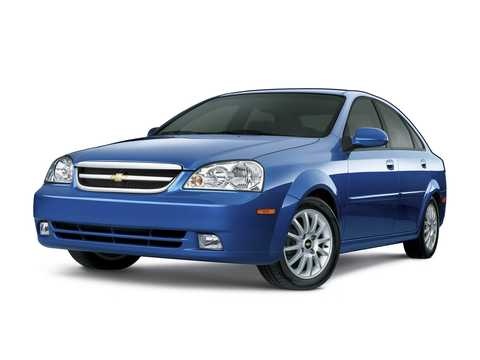
How to Change the Battery on a Chevrolet Optra
Model: Chevrolet Optra
MK 1
- Years:
2004, 2005, 2006, 2007, 2008, 2009, 2010, 2011, 2012, 2013
Video tutorial
Want to DIY and replace the battery on this car model? By following the images in the video and reading the text below, you will find all the necessary instructions to safely perform the replacement. The battery is located on the left side of the engine compartment. After lifting the hood, first disconnect the negative terminal, then the positive terminal. Remove the battery from the engine compartment and replace it with the new one. Reconnect the positive terminal first, then the negative terminal, and the job will be complete.
Updated on 2 August 2026 by ScegliAuto
Related tutorials
Chevrolet Optra
(2004-2013 /
MK 1)
Unlike other car models, the Chevrolet Optra has two different fuse boxes. In this mini guide, we will discover the exact location of both. Before pr…

Chevrolet Optra
(2004-2013 /
MK 1)
In this video, you will learn how to install the two front supports in the hood of the Chevrolet Optra. Not all supports are compatible with the Chev…

Chevrolet Optra
(2004-2013 /
MK 1)
The handbrake cable on the Chevrolet Optra is easily accessible and can be adjusted with ease as it is within reach. Simply open the center console l…
Other guides you may be interested in
|
How to Remove the Toll Tag Holder from the Car Windscreen
The toll tag holder is usually attached to the car windscreen to ensure that the toll tag functions immediately when passing through barriers. However, if you decide to remove the holder, you should follow this procedure: - Insert the toll tag into the holder; - Pull the holder inwards to detach it from the windscreen; you can use a glass scraper or a stiff plastic card to assist you; After removing the holder, it is essential to remove the adhesive from the windscreen. To remove the adhesive, we recommend using a solvent-based spray that will remove the glue without clouding the area. by ScegliAuto More videos
|
|
For advertising on this site Write to info@scegliauto.com
ScegliAuto is not responsible for any inaccuracy of the data in the lists. To report any inaccuracy or your business (if you own the business in question), please write to info@scegliauto.com
Number of seconds to generate the page: 0.818
(c) ScegliAuto 2026 - info@scegliauto.com - Privacy policy VAT number: IT01247470535 |
