
|
Do it yourself
| |||
| ||||


Citroen C2 - Checks and maintenanceChecks And Maintenance Citroen C2 (2003-2010 / mk 1) Citroen C2 (2003-2010 / MK 1)
Results of the EuroNCap test of the Citroen C2 In the EuroNCap test, the Citroen C2 obtained a score of 4 stars (out of a maximum of 5), achieving adequate protection for adults and children on board, poor …Read all… Posted on 15 May 2025 by ScegliAuto  Citroen C2 (2003-2010 / MK 1)
Reset service on a Citroen C2 1.4 HDi In today's tutorial, we are shown how to reset the service light on a Citroen C2 1.4HDi, a model produced by the well-known French company from 2003 to 2010. …Read all… Posted on 19 November 2024 by ScegliAuto  Citroen C2 (2003-2010 / MK 1)
How to add the Pedalbox to the Citroen C2 for a better driving experience In this video we see how to add a Pedalbox to our Citroen C2: first of all, what is a pedalbox? It is an additional control unit, with four user-selectable …Read all… Posted on 13 May 2024 by ScegliAuto 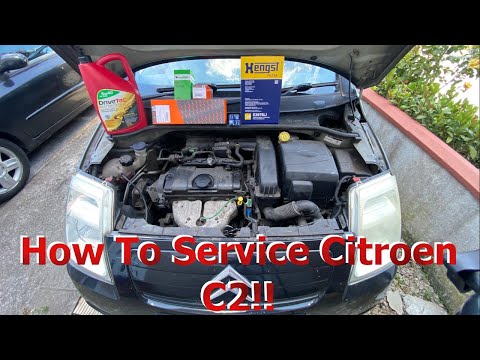 Citroen C2 (2003-2010 / MK 1)
Complete service guide for the Citroen C2 The YouTuber who created this video shows us the complete procedure for performing a service (now commonly referred to as a service) on a Citroen C2. As we can …Read all… Posted on 3 September 2026 by ScegliAuto Speaker (1) Car stereo (3) Battery (4) Transmission (1) Body (1) Glove compartment (1) Key (5) Timing belt (1) Onboard computer (1) Checks and maintenance (4) Shifter boot (1) Brake rotors (1) Tail light (2) Fog lights (1) Cabin air filter (3) Parking brake (1) Fuel injectors (1) Reverse light switch (1) Light bulb (1) Headlight bulb (4) Tail light bulb (2) Engine (1) Power window motor (1) Starter motor (2) Transmission fluid (1) Engine oil (2) Clock (1) Brake pads (1) Car door (1) Instrument cluster (1) Radiator (1) Heater core (1) Wheel (3) Fuse box (13) Seat (1) Side mirror (3) Warning light – error code (4) (1) Service warning light (15) |
How to set the clock on the Opel Zafira
Setting the clock to the current Italian time on an Opel Zafira model B vehicle is a very simple operation, which can also be done independently thanks to our short instructional video. The first thing to do is to turn on the instrument panel and then press the SETTING button, located on the central dashboard. Once inside the menu, use the buttons to navigate to the clock setting. Change the hours and minutes and restart the instrument panel. If the clock is not updated, a diagnosis may be necessary at the radio or vehicle control unit. by ScegliAuto More videos
|
|
For advertising on this site Write to info@scegliauto.com
ScegliAuto is not responsible for any inaccuracy of the data in the lists. To report any inaccuracy or your business (if you own the business in question), please write to info@scegliauto.com
Number of seconds to generate the page: 0.007
(c) ScegliAuto 2026 - info@scegliauto.com - Privacy policy VAT number: IT01247470535 |
