
|
Do it yourself
| |||
| ||||


How do you replace the power battery in the Citroen C4 Picasso?
Model: Citroen C4 Picasso
MK 1
- Years 2006-2013
Let's start by specifying why the power supply battery of a car needs to be replaced. The most common cases are the inability to start the engine, or to use certain functions, such as Start and Stop, radio, and so on. Having said that, let's move on to watching the video guide available here to understand how to perform the task: We open the hood, remove the top part of the battery in question from protective covers, fuse plates, etc., unscrew and remove the negative terminal first and the positive terminal next, and finally we conclude by removing the locking plate at the base of the battery, in order to extract it.
Posted on 27 May 2025 by ScegliAuto
Video tutorial
Related tutorials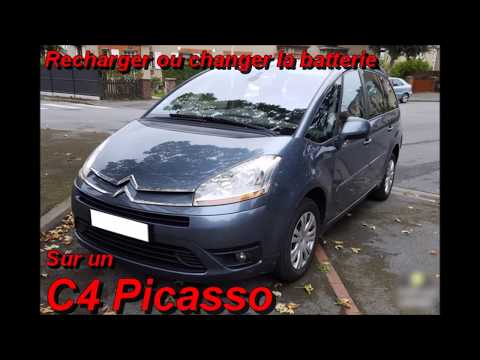
Citroen C4 Picasso
(2006-2013 /
MK 1)
Is the battery of the Citroen C4 Grand Picasso damaged? Here’s how to replace it. Open the car door and release the front bonnet; lift the bonnet. Re…

Citroen C4 Picasso
(2006-2013 /
MK 1)
The video presented here was shot on a Citroen C3, but it is specified that the process of removing the power battery is common to all other vehicles…

Citroen C4 Picasso
(2013-2022 /
MK 2)
To replace the battery of the Citroën C4 Picasso, you need to open the hood, so that you can access the components inside the engine compartment: in …
Other guides you may be interested in
|
How to reset the tyre pressure warning light on a Hyundai Tucson
Below are the instructions to reset the tyre pressure warning light (TPMS) on a Hyundai Tucson. First, get into the vehicle and turn on the instrument cluster; then navigate to the vehicle settings until you reach the tyre pressure monitor, identifying the tyre with incorrect pressure. At this point, restore all tyre pressures according to the specifications indicated on the label; this will reset the TPMS and the warning light will be cleared from the instrument cluster! by ScegliAuto More videos
|

|
For advertising on this site Write to info@scegliauto.com
ScegliAuto is not responsible for any inaccuracy of the data in the lists. To report any inaccuracy or your business (if you own the business in question), please write to info@scegliauto.com
Number of seconds to generate the page: 0.377
(c) ScegliAuto 2026 - info@scegliauto.com - Privacy policy VAT number: IT01247470535 |
