
|
Do it yourself
| |||
| ||||


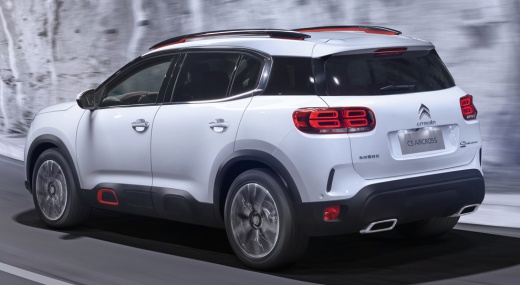
How to Reset the Service Light on a Citroen C5 Aircross
Model: Citroen C5 Aircross
MK 1
- Years:
2017, 2018, 2019, 2020, 2021, 2022
Video tutorial
After the service light illuminates on a Citroen C5 Aircross, it is necessary to perform the vehicle maintenance procedure. The service involves a lengthy process starting with an oil change and ending with checking the drive belt and the engine itself. During all the operations that make up the service, it is very important to perform the reset procedure to update the mileage for the next service. The reset is done by turning on the instrument panel and pressing the menu button to access the settings section of the onboard computer. Select the maintenance intervals option, and then by selecting reset, you will have updated the mileage.
Posted on 21 February 2026 by ScegliAuto
Related tutorials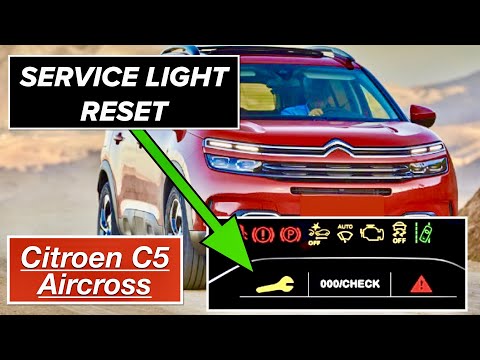
Citroen C5 Aircross
(2017-2022 /
MK 1)
The manual reset procedure for the service light on your 2017 Citroen C5 Aircross takes just a few seconds to complete. With this guide, you will be …

Citroen C5 Aircross
(2022-2026 /
MK 2)
The reset of the service light on the Citroen C5 Aircross must be done after completing all the operations related to the car service. The steps to p…

Citroen C5 Aircross
(2017-2022 /
MK 1)
The following instructions will show you how to reset the service light for the routine maintenance oil change on the Citroen C5 Aircross. First, get…
Other guides you may be interested in
|
How to Open the Bonnet of a Toyota C-HR
To open the bonnet of a Toyota C-HR, get inside the vehicle and lift the lever with the bonnet symbol located under the steering wheel. After lifting the lever, you will notice that the bonnet rises a few centimetres. Position yourself in front of the bonnet, insert your hand into the gap, and move the small internal lever from right to left, then lift the bonnet. You can keep the bonnet open during maintenance by positioning it on the support rod. To close the bonnet, remove the support rod and let it drop back down. by ScegliAuto More videos
|
|
For advertising on this site Write to info@scegliauto.com
ScegliAuto is not responsible for any inaccuracy of the data in the lists. To report any inaccuracy or your business (if you own the business in question), please write to info@scegliauto.com
Number of seconds to generate the page: 0.100
(c) ScegliAuto 2026 - info@scegliauto.com - Privacy policy VAT number: IT01247470535 |
