
|
Do it yourself
| |||
| ||||


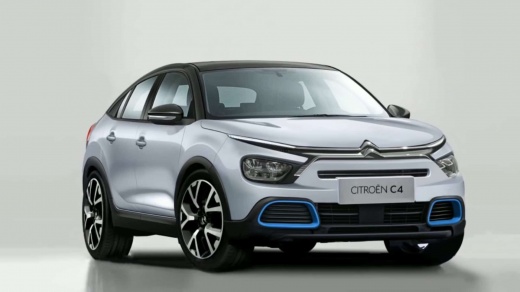
How to Reset the Service Light on a Citroen C4 Cactus
Model: Citroen C4
MK 3
- Years:
2020, 2021, 2022, 2023, 2024, 2025, 2026
Video tutorial
In today’s video, we will see how to reset the service light on the Citroen C4 Cactus. Specifically, we will do this via a PC rather than directly from the car's settings. Connect your device to the vehicle's OBD port. Once connected, launch the appropriate software and select your vehicle in the corresponding settings. Confirm that you want to perform the reset, then disconnect the device from the car. Upon the next restart, the light will be off, allowing you to continue driving normally.
Updated on 22 June 2026 by ScegliAuto
Related tutorials
Citroen C4
(2014-2020 /
Cactus)
Manually resetting the service light on your Citroen C4 Cactus is not difficult, and by following the steps described in this guide, you will succeed…

Citroen C4
(2014-2020 /
Cactus)
To manually reset the service light on the instrument cluster of your Citroen C4 Cactus (2016 model), follow the procedure described in this guide. B…

Citroen C4
(2014-2020 /
Cactus)
When the service light on your Citroen C4 Cactus continues to illuminate on the instrument cluster display even after servicing the car, you need to …
Other guides you may be interested in |
How to lower the rear seats in the Peugeot 206?
In this tutorial, you will see how to lower the rear seats in the Peugeot 206, a very simple and quick operation, for example, if you need more space in the boot. First, open both the doors and the tailgate, then unclip the seat base and position it vertically. Next, remove the horizontal partition, locate the release levers at the ends of both seatbacks, and, by operating them, lower the seatbacks. To reassemble everything, simply follow the reverse procedure. by ScegliAuto More videos
|
|
For advertising on this site Write to info@scegliauto.com
ScegliAuto is not responsible for any inaccuracy of the data in the lists. To report any inaccuracy or your business (if you own the business in question), please write to info@scegliauto.com
Number of seconds to generate the page: 0.010
(c) ScegliAuto 2026 - info@scegliauto.com - Privacy policy VAT number: IT01247470535 |
