
|
Do it yourself
| |||
| ||||


How to Reset the BSI Unit in the Citroën C5?
Model: Citroen C5
MK 2, RD, X7
- Years 2008-2017
To reset the BSI unit in the Citroën C5, connect a diagnostic tool to the vehicle's OBD port, which is located in the lower left part of the dashboard relative to the steering column. Once the scanner is connected, select the car model and the corresponding version; this will allow access to the stored errors in the BSI unit, which must all be completely reset. After the reset, you can disconnect the scanner, ensuring everything functions correctly.
Updated on 25 July 2026 by ScegliAuto
This video is currently unavailable
Related tutorials
Citroen C5
(2008-2017 /
MK 2, RD, X7)
In this guide we will see the instructions that will allow us to reset the BSI module of the Citroen C5, in simple steps. First of all, we get on boa…

Citroen C5
(2008-2017 /
MK 2, RD, X7)
In this video we will see how to delete travel data from the on-board computer of a Citroen C5, also known as BSI (Body Computer) which is basically …
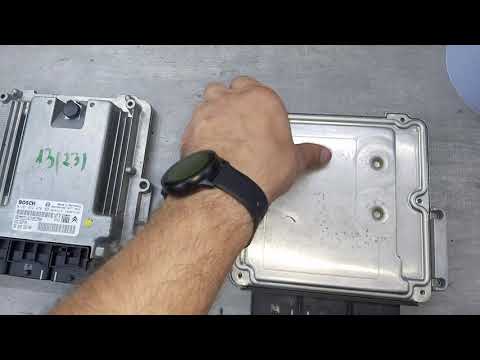
Citroen C5
(2008-2017 /
MK 2, RD, X7)
To reset the ECU of the Citroën C5, completely remove the unit from its housing so that it can be connected via the appropriate wiring to a computer:…
Other guides you may be interested in
|
How to Open the Bonnet of a Renault Megane if the Lever is Broken?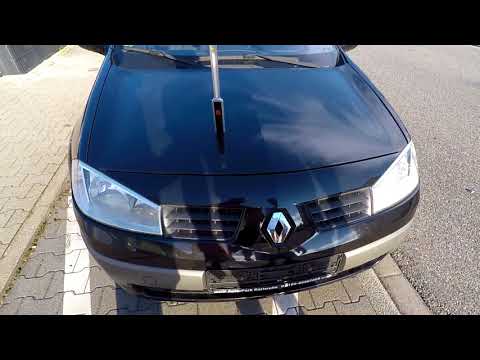
If the lever that unlocks the bonnet of the Renault Megane is broken or not functioning, there is an emergency procedure to unlock the mechanism: remove the right front grille located at the top of the bumper. Once the grille is removed, you can locate the actuator mechanism: by pulling the spring in this position, you can unlock the actuator, allowing you to lift the bonnet and access the components located inside the engine compartment. You can then close the bonnet simply by lowering it. by ScegliAuto More videos
|
For advertising on this site Write to info@scegliauto.com
ScegliAuto is not responsible for any inaccuracy of the data in the lists. To report any inaccuracy or your business (if you own the business in question), please write to info@scegliauto.com
Number of seconds to generate the page: 0.146
(c) ScegliAuto 2026 - info@scegliauto.com - Privacy policy VAT number: IT01247470535 |
