
|
Do it yourself
| |||
| ||||


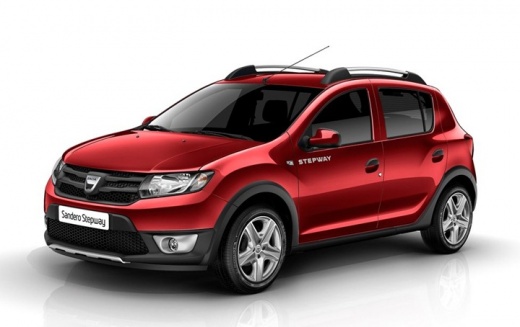
How do you set the time in the Dacia Sandero?
Model: Dacia Sandero
B8
- Years:
2012, 2013, 2014, 2015, 2016, 2017, 2018, 2019, 2020
Video tutorial
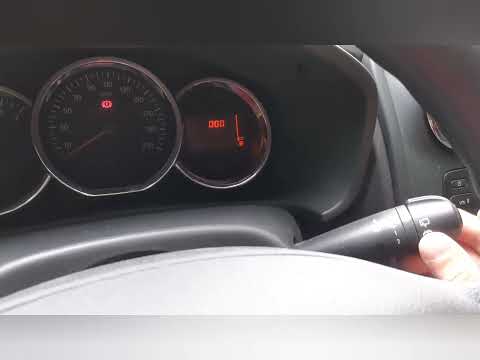
The video guide that we are about to describe is valid not only for the Dacia Sandero, but for cars of the same brand in general. After this necessary clarification, let's get started: turn on the instrument panel, hold down the button at the end of the right steering wheel lever and wait for the time to flash on the onboard computer, then by acting in pulses, always on the same button, we will adjust the hours first and then the minutes. Once the setting is complete, now without touching any command for a few seconds, it will allow the setting just made to be stored.
Posted on 7 May 2025 by ScegliAuto
Related tutorials
Dacia Sandero
(2012-2020 /
B8)
One of the most common pieces of information in cars is certainly the time. Of course, it always needs to be kept up to date, both for the switch fro…

Dacia Sandero
(2021-2026 /
MK 3)
Below we will discover the instructions that will allow us to set the time on the central display of the Dacia Sandero. First, we get on board the ca…
Dacia Sandero
(2012-2020 /
B8)
In this tutorial, you will learn how to set the time on a Dacia Sandero, a very simple and quick operation to perform, for example, after replacing t…
Other guides you may be interested in
|
How to open the bonnet on a Volkswagen Golf?
In this tutorial, you will see how to open the bonnet on a Volkswagen Golf MK4. This is a very simple operation that follows the standard procedure. First, open the driver's door, then locate the lever in the lower left area and pull it. Next, move to the front of the vehicle, lift the bonnet slightly, and find the second lever located just above the Volkswagen logo. At this point, simply pull it towards you, fully open the bonnet, and secure it with the prop rod. To close it, gently push it down. by ScegliAuto More videos
|
|
For advertising on this site Write to info@scegliauto.com
ScegliAuto is not responsible for any inaccuracy of the data in the lists. To report any inaccuracy or your business (if you own the business in question), please write to info@scegliauto.com
Number of seconds to generate the page: 0.040
(c) ScegliAuto 2026 - info@scegliauto.com - Privacy policy VAT number: IT01247470535 |
