
|
Do it yourself
| |||
| ||||


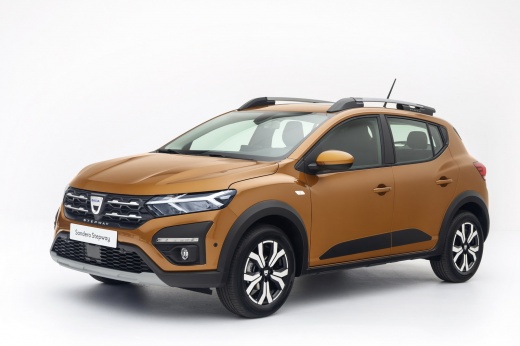
How to reset the tire pressure sensor on the Dacia Sandero
Model: Dacia Sandero
MK 3
- Years:
2021, 2022, 2023, 2024, 2025, 2026
Video tutorial
In this video, we see how to reset the tire pressure warning light on the Dacia Sandero: turn on the dashboard without starting the engine. The computer control button is located on the panel to the right of the steering wheel, depicting a book indicating the car's menu. Press the button until the message related to tire pressure control appears on the dashboard. When we find the message, press and hold the "ok" button to confirm for 3/5 seconds. A visual confirmation "operation completed" will appear on the display. This procedure does not detect which tire is deflated, but simply resets the system based on the current pressures.
Posted on 25 August 2025 by ScegliAuto
Related tutorials
Dacia Sandero
(2012-2020 /
B8)
Today, you will learn how to reset the tyre pressure monitoring system (TPMS) light on a 2018 Dacia Sandero. It is important to perform the reset pro…

Dacia Sandero
(2021-2026 /
MK 3)
To reset the tyre pressure warning light on the Dacia Sandero, inflate all the tyres to the pressure indicated on the label on the driver's door. Onc…

Dacia Sandero
(2012-2020 /
B8)
Tyre pressure is a fundamental element for driving, affecting stability and fuel consumption. Keeping the pressure at an optimal level is necessary. …
Other guides you may be interested in
|
Frequently Asked QuestionsHow to Open the Hood of the BMW X3
Today, you will learn how to open and close the hood of the BMW X3. To perform this simple operation, lift the hood release lever located next to the door seal on the driver’s side. After pulling the lever, you will notice that the hood will lift slightly. Position yourself in front of the hood and lift it after moving the internal lever from left to right. To keep the hood secure during maintenance, use the side support rod. To close the hood, simply let it fall back into place. by ScegliAuto More videos
|
|
For advertising on this site Write to info@scegliauto.com
ScegliAuto is not responsible for any inaccuracy of the data in the lists. To report any inaccuracy or your business (if you own the business in question), please write to info@scegliauto.com
Number of seconds to generate the page: 0.105
(c) ScegliAuto 2026 - info@scegliauto.com - Privacy policy VAT number: IT01247470535 |
