
|
Do it yourself
| |||
| ||||


How to Disable the Start & Stop System on the Dacia Sandero
Model: Dacia Sandero
MK 3
- Years 2021-2026
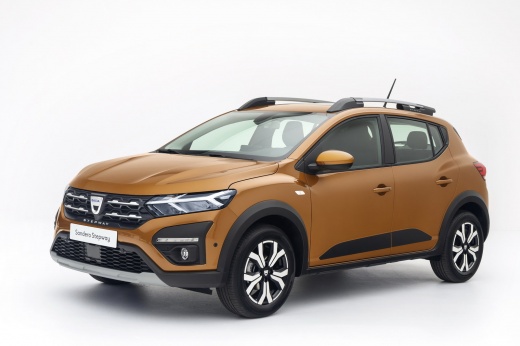
This video shows a method to disable the Start & Stop system on the Dacia Sandero: it slightly increases fuel consumption in the city, but prevents the engine from automatically shutting off at traffic lights. The operation is reversible at any time: open the bonnet and locate the battery. Find the Start & Stop connector, which is a small 2-wire electrical connector attached to the negative terminal of the battery. It usually has a blue clip or an identifying mark. Disconnect the connector, press the release tab, and gently pull the connector from its socket. Close the bonnet. A warning light will illuminate on the dashboard, and the system remains permanently disabled as long as the connector remains disconnected.
Posted on 9 February 2026 by ScegliAuto
Video tutorial
Related tutorials
Dacia Sandero
(2012-2020 /
B8)
To permanently disable the Start/Stop system on a Dacia Sandero, you need to work in the engine bay. Open the bonnet and locate the IBS sensor connec…

Dacia Sandero
(2021-2026 /
MK 3)
On the Dacia Sandero, as with many other vehicles, the purpose of the start & stop system is to reduce fuel consumption and emissions by automaticall…

Dacia Sandero
(2021-2026 /
MK 3)
On the Dacia Sandero 2024, the Start/Stop function can be disabled either temporarily or permanently. For the first procedure: with the engine runnin…
Other guides you may be interested in
|
Frequently Asked QuestionsHow to change the time on a Toyota Yaris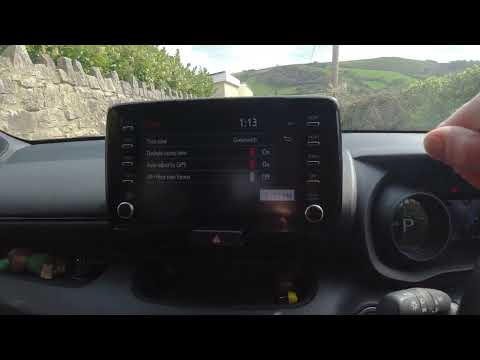
In this video we see how to change the time on a Toyota Yaris, specifically when it comes to switching from daylight saving time to standard time and vice versa. We go to the multifunction screen and press "settings": from there we go to press the clock, simply click on daylight saving time, and the clock will change the time for us, without doing anything else. All we want to do is just adjust the time format to 12 or 24 hours, as is customary in the area where we live: for example in Anglo-Saxon countries it is common to set the time to 12 hours, while in the European Union it is normally set to 24 hours. by ScegliAuto More videos
|
|
For advertising on this site Write to info@scegliauto.com
ScegliAuto is not responsible for any inaccuracy of the data in the lists. To report any inaccuracy or your business (if you own the business in question), please write to info@scegliauto.com
Number of seconds to generate the page: 0.292
(c) ScegliAuto 2026 - info@scegliauto.com - Privacy policy VAT number: IT01247470535 |
