
|
Do it yourself
| |||
| ||||


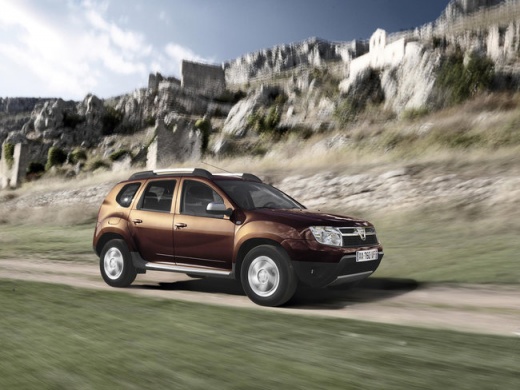
Installing LED Lights on the Dacia Duster
Model: Dacia Duster
MK 1, HS
- Years:
2010, 2011, 2012, 2013, 2014, 2015, 2016, 2017
Video tutorial
In this video, see how to install LED bulbs on the Dacia Duster. Once the headlamp is removed (it is easier to work this way than directly on the car). The specific bulbs are H1 and H7. Check if the bulbs are positioned correctly, then work on the headlamp. Remove the rubber cap and detach the bulb by releasing the clip. Now install the H7 bulb for the dipped beam. Align the bulb's polarity and insert it into the socket. Follow a similar process for the main beam bulb, which is the H1.
Updated on 25 May 2026 by ScegliAuto
Related tutorials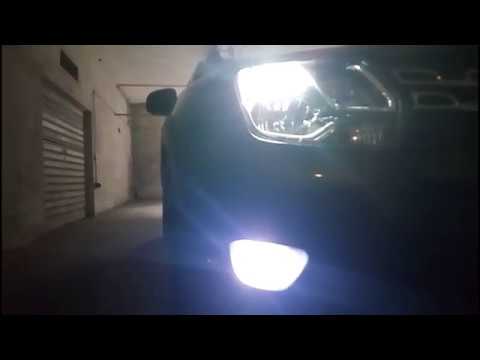
Dacia Duster
(2010-2017 /
MK 1, HS)
Before proceeding with the installation of LED fog lights on the Dacia Duster, position the car on a ramp or flat surface to work safely. Once done, …

Dacia Duster
(2024-2026 /
P1310)
Let's see how to change the interior lights of the Dacia Duster 3: for the trunk light, unlock the ceiling light by pressing the side spring with a s…

Dacia Duster
(2010-2017 /
MK 1, HS)
Let's see how to complete this nice little job to give a bit more nighttime light to the dashboard of a Dacia Duster MK1: first of all, let's get som…
Other guides you may be interested in |
How to Remove the Rear Seat of a Hyundai Tucson?
To remove the rear seat of a Hyundai Tucson, follow these steps. Start by moving the front seats to their most forward position to gain space. Next, locate the release lever on the underside of the rear seat, near the floor. Press this lever down while pulling the seat upwards to unlock it from the anchor pins. Once unlocked, tilt the seat upwards and forwards to remove it from its position. Repeat this process for both sides of the rear seat. Be careful of any electrical cables or components that may be connected to the seat during removal. Once the rear seat is removed, the disassembly is complete. by ScegliAuto More videos
|
|
For advertising on this site Write to info@scegliauto.com
ScegliAuto is not responsible for any inaccuracy of the data in the lists. To report any inaccuracy or your business (if you own the business in question), please write to info@scegliauto.com
Number of seconds to generate the page: 0.024
(c) ScegliAuto 2026 - info@scegliauto.com - Privacy policy VAT number: IT01247470535 |
