
|
Do it yourself
| |||
| ||||


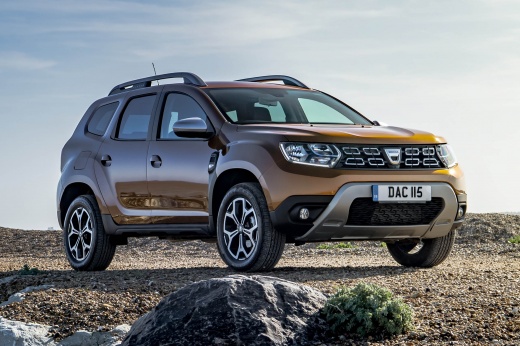
How to Remove the Service Light on a Dacia Duster
Model: Dacia Duster
MK 2, HM
- Years:
2017, 2018, 2019, 2020, 2021, 2022, 2023, 2024
Video tutorial
The light with the icon of a spanner indicates the need for a service on the car; once this has been completed, it can be removed through a specific reset procedure. For a Dacia Duster, first, get into the vehicle, insert the key, and turn it to the first position to power on the instrument cluster without starting the engine. The service light will then appear on the display; use the buttons on the right side of the steering wheel to navigate through the settings menu. Select the maintenance interval option and choose the desired miles; then confirm the reset.
Updated on 16 June 2026 by ScegliAuto
Related tutorials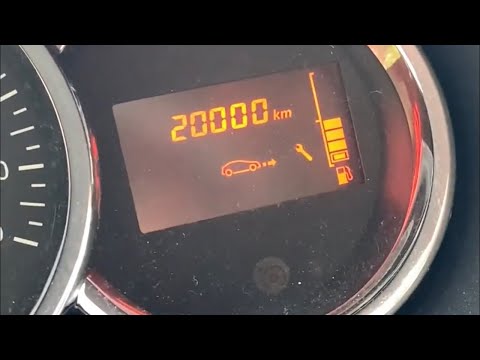
Dacia Duster
(2010-2017 /
MK 1, HS)
Before you can start, sit in the driver's seat of your Dacia Duster. Begin by activating the instrument cluster by simply turning the key in the igni…

Dacia Duster
(2017-2024 /
MK 2, HM)
Today, you will learn how to reset the service light on a Dacia car. Specifically, this video shows a second-generation Dacia Duster. Turn on the ins…
Dacia Duster
(2010-2017 /
MK 1, HS)
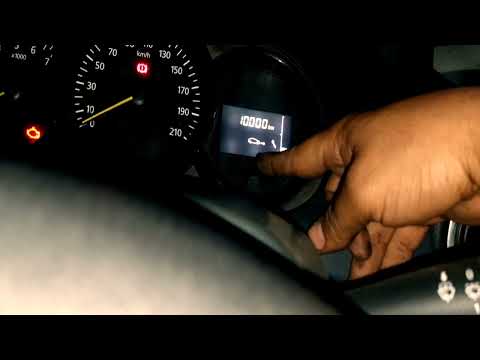
Learn how to reset the oil change service light on a Dacia Duster, applicable to most Dacia and Renault models. First, get in the vehicle and press t…
Other guides you may be interested in
|
How to Set the Date and Time on the Iveco Daily
Today, we will see in this video tutorial how to change the date and time on the Iveco Daily. First, get into the vehicle and turn on the instrument panel; then go to the vehicle settings on the central display, pressing the relevant option for date and time. At this point, press the "set" button located at the top, using the physical arrow buttons to set both the date and time; finally, exit the onboard computer menu to save the changes made! by ScegliAuto More videos
|
|
For advertising on this site Write to info@scegliauto.com
ScegliAuto is not responsible for any inaccuracy of the data in the lists. To report any inaccuracy or your business (if you own the business in question), please write to info@scegliauto.com
Number of seconds to generate the page: 0.098
(c) ScegliAuto 2026 - info@scegliauto.com - Privacy policy VAT number: IT01247470535 |
