
|
Do it yourself
| |||
| ||||


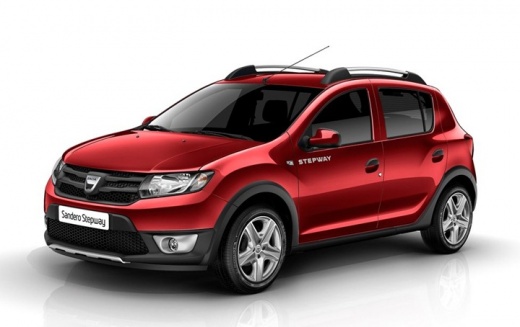
How to Change the Engine Oil and Filter on a Dacia Sandero
Model: Dacia Sandero
B8
- Years:
2012, 2013, 2014, 2015, 2016, 2017, 2018, 2019, 2020
Video tutorial
If you want to carry out a DIY oil and filter change on this vehicle, follow the instructions and guidelines provided here. After raising the vehicle and opening the bonnet, remove the screws securing the soundproofing panel located under the engine. Then locate the oil drain plug and the filter next to it. Unscrew the plug, ensuring you have a container on the floor to collect the used oil. Next, use the appropriate spanner to unscrew the filter and replace it with the new one, always ensuring to replace the seal first. Finally, close the oil drain plug and return to the engine bay to refill the system with new lubricant.
Updated on 9 July 2026 by ScegliAuto
Related tutorials
Dacia Sandero
(2012-2020 /
B8)
In today's video, learn how to replace the engine oil and oil filter, performing the regular maintenance service on the Dacia Sandero second series, …

Dacia Sandero
(2008-2012 /
BS)
Let’s see how to replace the oil filter on your Dacia Sandero. First, note that the oil filter is a crucial component of your car and is usually chan…

Dacia Sandero
(2008-2012 /
BS)
How to replace the engine oil filter on a Dacia Sandero? Follow these steps: lift the car with a column lift, unscrew the bolt from the oil sump and …
Other guides you may be interested in
|
How to Reset the Tire Pressure Light on a MG ZS?
On the instrument cluster of the MG ZS, the tire pressure light that appears can be reset by inflating the tires to the correct pressure: this value will be indicated on the sticker attached to the driver's door pillar. Once the tires have been properly inflated, you can turn on the instrument cluster and navigate through the menu until you find the option that indicates tire pressure: if this screen shows the new values, the light will turn off; otherwise, you will need to drive for a few miles so that the sensors can read the new values and turn off the light afterward. by ScegliAuto More videos
|
|
For advertising on this site Write to info@scegliauto.com
ScegliAuto is not responsible for any inaccuracy of the data in the lists. To report any inaccuracy or your business (if you own the business in question), please write to info@scegliauto.com
Number of seconds to generate the page: 0.050
(c) ScegliAuto 2026 - info@scegliauto.com - Privacy policy VAT number: IT01247470535 |
