
|
Do it yourself
| |||
| ||||


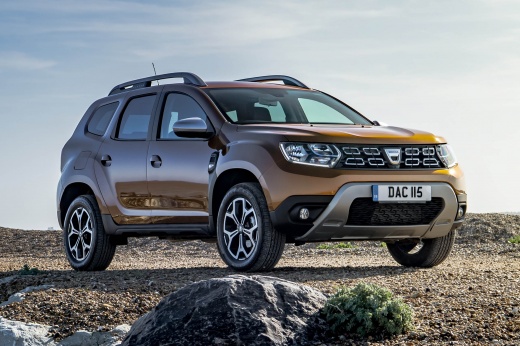
How to reset the service light on the Dacia Duster
Model: Dacia Duster
HM, MK 2
- Years 2017-2024
The steps to reset the service light of the Dacia Duster are: -turn on the instrument panel; -press the menu button on the steering wheel; -scroll through the settings menu until you select the "RESET SERVICE AUTOMATIC" option; -press the OK button for 10 seconds; -release the button; -press the button for another 10 seconds; -turn off and turn on the instrument panel; After completing the above steps, you can continue your journey without any problems. If the light appears again but it is not yet time to reset it, you may need to go to the workshop.
Posted on 2 June 2024 by ScegliAuto
Video tutorial
Related tutorials
Dacia Duster
(2010-2017 /
HS, MK 1)
.. Today we will explain how to reset the service light on the Dacia Duster vehicle. To reset the light, we need to turn on four.. …

Dacia Duster
(2017-2024 /
HM, MK 2)
Today we will explain how to reset the service light of the 2018 Dacia Duster. We remind you that before proceeding with the reset of the light, it i…

Dacia Duster
(2010-2017 /
HS, MK 1)
Today we will explain how to reset the service light on a 2015 Dacia Duster. The reset operations should only be performed after completing the servi…
Other guides you may be interested in
|
Frequently Asked QuestionsHow to Open the Bonnet of a Renault Megane if the Lever is Broken?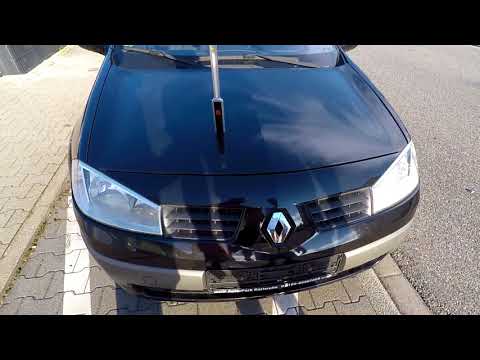
If the lever that unlocks the bonnet of the Renault Megane is broken or not functioning, there is an emergency procedure to unlock the mechanism: remove the right front grille located at the top of the bumper. Once the grille is removed, you can locate the actuator mechanism: by pulling the spring in this position, you can unlock the actuator, allowing you to lift the bonnet and access the components located inside the engine compartment. You can then close the bonnet simply by lowering it. by ScegliAuto More videos
|
|
For advertising on this site Write to info@scegliauto.com
ScegliAuto is not responsible for any inaccuracy of the data in the lists. To report any inaccuracy or your business (if you own the business in question), please write to info@scegliauto.com
Number of seconds to generate the page: 0.408
(c) ScegliAuto 2026 - info@scegliauto.com - Privacy policy VAT number: IT01247470535 |
