
|
Do it yourself
| |||
| ||||


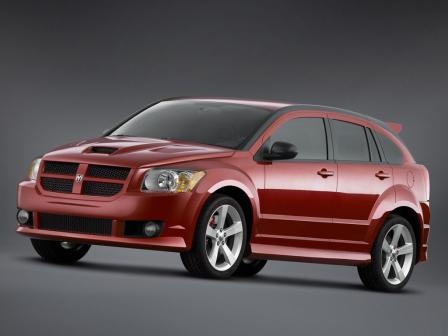
How to Replace the Rear Light Bulbs on a Dodge Caliber
Model: Dodge Caliber
MK 1
- Years:
2006, 2007, 2008, 2009, 2010, 2011, 2012
Video tutorial
Replace the rear light bulbs on a Dodge Caliber. In this video, see how to remove the light unit. Open the boot lid, unscrew the securing screws located at the side of the light (plastic rivets) with a screwdriver. Disconnect the rear light from its housing once all screws are removed (disconnect the power connectors) and replace the damaged bulbs with new ones (same size and voltage). Finally, reassemble the light unit in its designated housing with the associated screws and reconnect the power connectors. Test the correct operation of the previously installed bulbs.
Updated on 13 March 2026 by ScegliAuto
Related tutorials
Dodge Caliber
(2006-2012 /
MK 1)
Learn how to remove the front headlamp of a Dodge Caliber. Open and lift the bonnet by pulling the bonnet release lever and secure it. Unscrew the re…
Dodge Caliber
(2006-2012 /
MK 1)
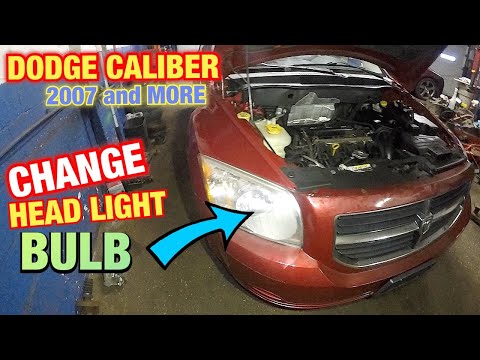
This guide briefly outlines the steps to remove and replace the front headlamp bulb on a Dodge Caliber. First, open the bonnet of the vehicle and sta…

Dodge Caliber
(2006-2012 /
MK 1)
Do you want to replace the radio in the Dodge Caliber? Here’s how to remove it from the centre console. To take out the radio, remove the gear knob a…
Other guides you may be interested in |
How to Reset the Tyre Pressure Warning Light on a Peugeot 2008?
On the instrument cluster of the Peugeot 2008, the tyre pressure warning light that appears can be reset by turning on the ignition, allowing access to the menu that will appear on the central display: press the button with the car icon located just below the display. At this point, scroll through the screen that appears, selecting the option that allows you to reset the tyre warning light: selecting it will bring up a confirmation message, where you can select "Yes" to completely reset the low pressure warning light. by ScegliAuto More videos
|
|
For advertising on this site Write to info@scegliauto.com
ScegliAuto is not responsible for any inaccuracy of the data in the lists. To report any inaccuracy or your business (if you own the business in question), please write to info@scegliauto.com
Number of seconds to generate the page: 0.029
(c) ScegliAuto 2026 - info@scegliauto.com - Privacy policy VAT number: IT01247470535 |
