
|
Do it yourself
| |||
| ||||


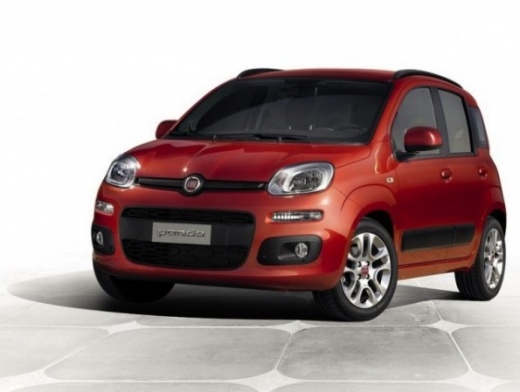
How to Change the Menu Language in a Fiat Panda Hybrid?
Model: Fiat Panda
319, MK 3
- Years:
2012, 2013, 2014, 2015, 2016, 2017, 2018, 2019, 2020, 2021, 2022, 2023
Video tutorial
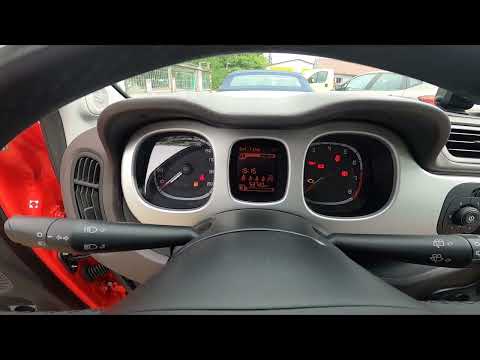
The information provided in this video is undoubtedly very interesting, as it helps resolve a seemingly difficult problem, which is actually simpler than you might think. If you wish to update and subsequently change the menu language in the Settings, you can easily upload it directly from a USB stick. In short, download the update with all the desired languages, install it onto the USB stick, and then insert it into the USB port. Start the mentioned update, which will be completed in 30 seconds, allowing you to select your preferred language.
Updated on 18 October 2026 by ScegliAuto
Related tutorials
Fiat Panda
(2012-2023 /
)
The Settings Menu of the Fiat Panda provides countless information and allows you to choose the language in which they are visible to the driver. The…
Fiat Panda
(2012-2026 /
319, MK 3)
This brief video guide explains the procedure to change the system language on your Fiat Panda, third series model produced from 2012 to 2023. The pr…

Fiat Panda
(2012-2023 /
)
The Fiat Panda Hybrid is equipped with the classic gasoline engine, which is supported during acceleration phases by an electric motor paired with it…
Other guides you may be interested in |
Frequently Asked QuestionsHow to Remove the Rear Seat of a Hyundai Tucson?
To remove the rear seat of a Hyundai Tucson, follow these steps. Start by moving the front seats to their most forward position to gain space. Next, locate the release lever on the underside of the rear seat, near the floor. Press this lever down while pulling the seat upwards to unlock it from the anchor pins. Once unlocked, tilt the seat upwards and forwards to remove it from its position. Repeat this process for both sides of the rear seat. Be careful of any electrical cables or components that may be connected to the seat during removal. Once the rear seat is removed, the disassembly is complete. by ScegliAuto More videos
|
|
For advertising on this site Write to info@scegliauto.com
ScegliAuto is not responsible for any inaccuracy of the data in the lists. To report any inaccuracy or your business (if you own the business in question), please write to info@scegliauto.com
Number of seconds to generate the page: 0.008
(c) ScegliAuto 2026 - info@scegliauto.com - Privacy policy VAT number: IT01247470535 |
