
|
Do it yourself
| |||
| ||||


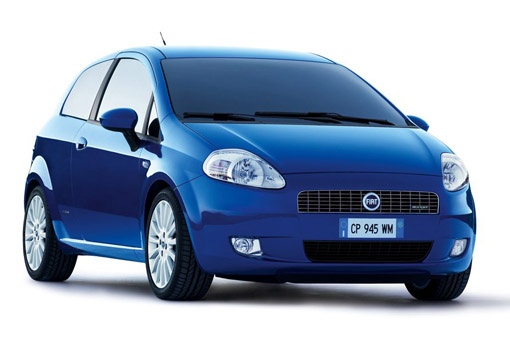
Replacing the Timing Chain on a Fiat Grande Punto 1.3 MultiJet
Model: Fiat Punto
199, MK 3, Grandepunto , Punto EVO
- Years:
2005, 2006, 2007, 2008, 2009, 2010, 2011, 2012, 2013, 2014, 2015, 2016
Video tutorial
In this video, you will see the main steps to remove and replace the timing chain on a Fiat Grande Punto 1.3 MultiJet. First, open the bonnet of your car and start by removing the plastic protective cover; then lift the vehicle and loosen the tensioner to remove the V-belt. At this point, remove the crankshaft pulley and also remove the left side engine mount; unscrew the screws of the timing cover to remove it. All that remains is to change the timing chain!
Updated on 17 April 2026 by ScegliAuto
Related tutorials
Fiat Punto
(2005-2018 /
199, MK 3, Grandepunto , Punto EVO)
This guide outlines the main steps to remove and replace the timing chain of the Fiat Grande Punto 1.3 MultiJet, as well as the Fiat Panda and Fiat 5…
Fiat Punto
(2005-2018 /
199, MK 3, Grandepunto , Punto EVO)
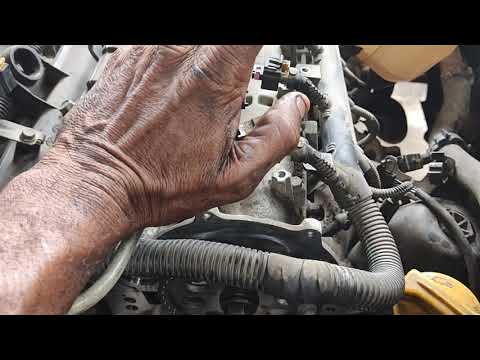
This guide shows how to remove and replace the timing chain on the Fiat Grande Punto 1.3 MultiJet, as well as the Punto Evo. Start by opening the bon…
Fiat Punto
(2005-2018 /
199, MK 3, Grandepunto , Punto EVO)
This guide will show you the main steps to remove and replace the timing chain on the Fiat Punto 1.3 Multijet. To access the timing chain, first remo…
Other guides you may be interested in
|
How to reset the tyre pressure warning light on the Dacia Sandero?
The tyre pressure warning light that appears on the instrument cluster of the Dacia Sandero can be reset by inflating the tyres until they reach the correct pressure value: this value is indicated on the sticker attached to the driver’s door pillar. Once the inflation is complete, navigate through the menu that appears on the instrument cluster to find the option related to the tyres: select this with the OK button, which should then be held down for a few seconds to completely turn off the light. by ScegliAuto More videos
|
|
For advertising on this site Write to info@scegliauto.com
ScegliAuto is not responsible for any inaccuracy of the data in the lists. To report any inaccuracy or your business (if you own the business in question), please write to info@scegliauto.com
Number of seconds to generate the page: 0.021
(c) ScegliAuto 2026 - info@scegliauto.com - Privacy policy VAT number: IT01247470535 |
