
|
Do it yourself
| |||
| ||||



How to Change the Engine Oil in a Fiat Panda
Model: Fiat Panda
169, MK 2
- Years:
2003, 2004, 2005, 2006, 2007, 2008, 2009, 2010, 2011, 2012
Video tutorial
Before starting, open the bonnet of your Fiat Panda. Begin by unscrewing and removing the top oil filler cap. Next, lift the front of your vehicle. Once done, unscrew and remove the lower oil drain plug, then wait for the oil to completely drain out. At this point, re-screw the drain plug and lower the front. After completing this step, pour in the new oil through the top hole, then re-screw the corresponding cap, and the replacement will be complete.
Updated on 22 April 2026 by ScegliAuto
Related tutorials
Fiat Panda
(2003-2012 /
169, MK 2)
Let’s discover the procedure to perform routine maintenance by replacing the engine oil and oil filter on the Fiat Panda 169 4x4. First, lift the veh…

Fiat Panda
(2003-2012 /
169, MK 2)
Change the engine oil on a Fiat Panda. This operation is simple if you follow the correct steps. Lift the car on a column lift or jack, unscrew the o…
Fiat Panda
(2003-2012 /
169, MK 2)
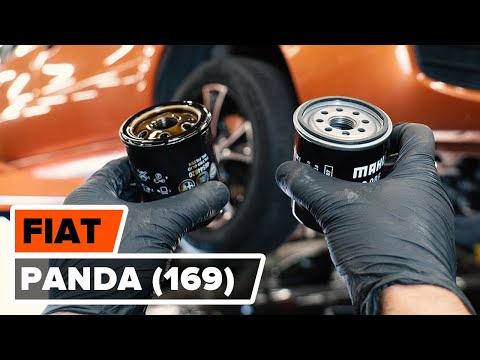
Before you can start, open the front bonnet of your Fiat Panda. Begin by unscrewing and removing the top cap where the engine oil is added, then lift…
Other guides you may be interested in
|
Frequently Asked QuestionsWhere are the fuses located on the Renault Laguna?
On the Renault Laguna, the fuses are located inside the fuse boxes installed in the vehicle: in this car model, you will find two boxes for containing the fuses. The first is in the fuse box on the left side of the dashboard, accessible by opening the driver's door: here you will find the fuses for the windscreen wipers, fog lights, horn, etc. The second box is located on the right side of the engine compartment: here you will find the fuses for the dipped headlights, radiator fan, alternator, etc. by ScegliAuto More videos
|
|
For advertising on this site Write to info@scegliauto.com
ScegliAuto is not responsible for any inaccuracy of the data in the lists. To report any inaccuracy or your business (if you own the business in question), please write to info@scegliauto.com
Number of seconds to generate the page: 0.051
(c) ScegliAuto 2026 - info@scegliauto.com - Privacy policy VAT number: IT01247470535 |
