
|
Do it yourself
| |||
| ||||


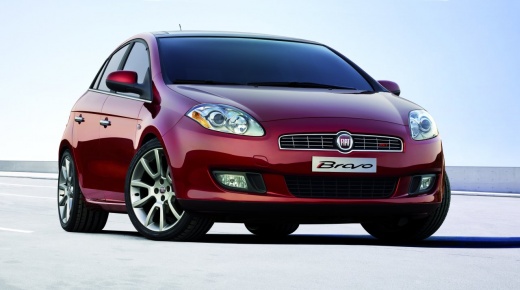
How to Change the Time on a Fiat Bravo
Model: Fiat Bravo
Bravo 2
- Years:
2007, 2008, 2009, 2010, 2011, 2012, 2013, 2014
Video tutorial
In this video, you will find instructions on how to adjust the clock in a second-generation Fiat Bravo. First, get inside the vehicle and turn on the ignition. Then, press the "Mode" button found on the central instrument panel to access the vehicle menu. Scroll to the time settings option and enter it to adjust the time using the buttons, with the option to change the date as well. Finally, exit the menu and start the vehicle, checking that the time has been set correctly.
Updated on 1 May 2026 by ScegliAuto
Related tutorials
Fiat Bravo
(2007-2014 /
Bravo 2)
Do you want to change the time or date on your Fiat? Follow this guide to set it up on your Fiat Bravo. First, turn on the ignition with the key, the…
Fiat Bravo
(2007-2014 /
Bravo 2)
To set and modify the time on the vehicle, proceed as follows: enter the cabin, insert the ignition key, and turn on the dashboard (do not start the …

Fiat Bravo
(2007-2014 /
Bravo 2)
If you own a second-generation Fiat Bravo and want to manually change the time displayed on the instrument cluster, follow this procedure. First, tur…
Other guides you may be interested in |
How to open the boot if it is stuck on a Mercedes B-Class?
On the Mercedes B-Class, the boot may become stuck, possibly due to a problem with the control button or the lock actuator. In this case, perform the emergency opening by following the simple procedure shown in this tutorial. First, unlock the locks with the remote control, then open the rear doors and, by operating the indicated lever, lower the backrest of the seat. Next, go inside the boot, locate the indicated gap, and manually unlock the lock using a small screwdriver. by ScegliAuto More videos
|
|
For advertising on this site Write to info@scegliauto.com
ScegliAuto is not responsible for any inaccuracy of the data in the lists. To report any inaccuracy or your business (if you own the business in question), please write to info@scegliauto.com
Number of seconds to generate the page: 0.052
(c) ScegliAuto 2026 - info@scegliauto.com - Privacy policy VAT number: IT01247470535 |
