
|
Do it yourself
| |||
| ||||


How to manually deactivate the daytime running lights on the Fiat 500
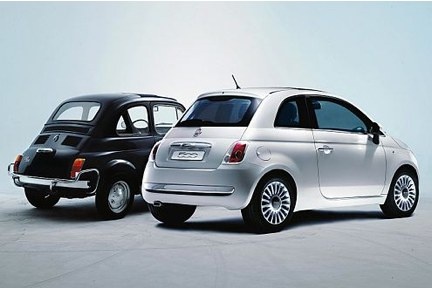
Daytime running lights enhance driving safety even outside of evening and night hours. However, there are times when you may need to deactivate them for personal reasons or due to faults or malfunctions. In this case, it is not necessary to intervene directly on the headlights, as you can easily deactivate them using the car's controls. First, enter the vehicle and start the car. Then, press the small "Menu" button located to the right of the speedometer and navigate inside by pressing the central button. Once you find the "Daytime Running Lights" option, press the "Menu" button again and set it to "OFF". At this point, exit the menu and you are finished.
Updated on 6 May 2026 by ScegliAuto
Video tutorial
Related tutorials
Fiat 500
(2007-2023 /
)
Activating or deactivating the daytime running lights system on a Fiat 500 vehicle is a very simple and quick operation to perform independently thro…

Fiat 500
(2012-2023 /
500 L)
In today's video, we can see how to change the daytime running light bulb of a Fiat 500L. So, to change the daytime running light bulb, we first need…

Fiat 500
(2014-2022 /
500 X)
In order to deactivate the Start&Stop system of the Fiat 500X, you need to turn on the instrument panel by inserting the ignition key into the corres…
Other guides you may be interested in
|
How to Bleed the Clutch on a Renault Clio?
To bleed the clutch on a Renault Clio, open the bonnet to access the components located in the engine bay: here, you will need to undo the screws that secure the battery in its housing, the intake manifold, and the coolant reservoir. This will allow you to locate the pipe through which the brake fluid flows: by inserting the other end of the pipe into a container, you can press the clutch pedal to expel all the fluid until it fills the container. by ScegliAuto More videos
|
|
For advertising on this site Write to info@scegliauto.com
ScegliAuto is not responsible for any inaccuracy of the data in the lists. To report any inaccuracy or your business (if you own the business in question), please write to info@scegliauto.com
Number of seconds to generate the page: 0.460
(c) ScegliAuto 2026 - info@scegliauto.com - Privacy policy VAT number: IT01247470535 |
