
|
Do it yourself
| |||
| ||||


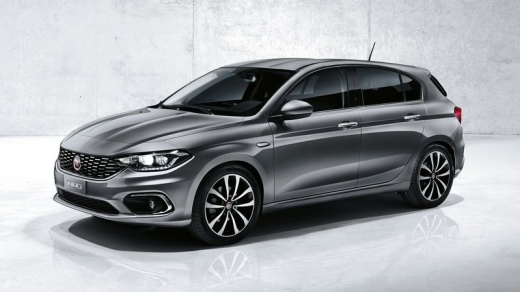
How to Reset the Service Light on the Fiat Tipo?
Model: Fiat Tipo
358, 356, 357
- Years:
2016, 2017, 2018, 2019, 2020, 2021, 2022, 2023, 2024, 2025, 2026
Video tutorial
In this tutorial, discover how to reset the service light on the vehicle using a diagnostic system like Delphi, connecting it directly to the OBD2 socket. Connect your system to the diagnostic socket located just under the dashboard on the left side. Open the app installed on your mobile phone and connect it to the diagnostic system. Wait for the connection to the ECU and the data acquisition. Among the various options on the main menu, you will find a list of existing errors. Open this submenu, where you will find the active service reset indication, and from here you can proceed to clear the indication, which will automatically disappear from the instrument cluster.
Updated on 21 May 2026 by ScegliAuto
Related tutorials
Fiat Tipo
(2016-2026 /
358, 356, 357)
When the Service light illuminates on the Fiat Tipo display, it indicates that the scheduled service period has been exceeded. The light cannot be re…
Fiat Tipo
(2016-2026 /
358, 356, 357)
The Service light reset on the Fiat Tipo cannot be performed using the appropriate commands within the onboard computer: to execute the reset, a diag…
Fiat Tipo
(2016-2026 /
358, 356, 357)
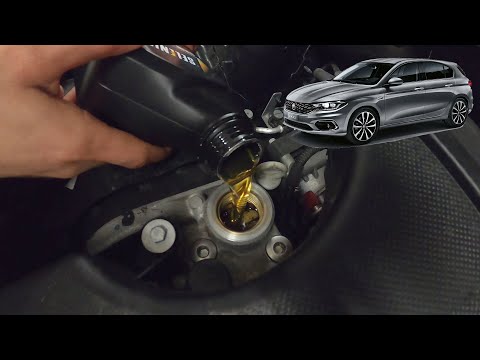
To reset the Service light on a Fiat Tipo, you must first change the oil and the corresponding filter as indicated in the tutorial. Next, enter the c…
Other guides you may be interested in
|
Frequently Asked QuestionsHow to Open the Fuel Flap on a Volkswagen Tiguan?
To open the fuel flap on a Volkswagen Tiguan, first unlock the car using the appropriate button on the remote. This will open the car and unlock the mechanism that controls the fuel flap. At this point, apply light pressure to the left side of the flap to open it and access the cap underneath. Once this is unscrewed, you can refuel and then close everything. by ScegliAuto More videos
|
|
For advertising on this site Write to info@scegliauto.com
ScegliAuto is not responsible for any inaccuracy of the data in the lists. To report any inaccuracy or your business (if you own the business in question), please write to info@scegliauto.com
Number of seconds to generate the page: 0.030
(c) ScegliAuto 2026 - info@scegliauto.com - Privacy policy VAT number: IT01247470535 |
