
|
Do it yourself
| |||
| ||||


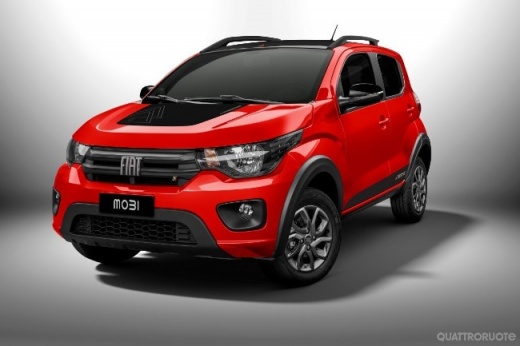
How to Change the License Plate Light on a Fiat Mobi?
Model: Fiat Mobi
MK 1
- Years:
2016, 2017, 2018, 2019, 2020, 2021, 2022, 2023, 2024
Video tutorial
To replace the license plate light on the Fiat Mobi, you only need a flathead screwdriver. Use it to pry between the body and the light assembly, as it is simply snap-fitted without screws or other fasteners. Once you remove the light assembly, be careful not to pull too hard to avoid damaging the wires. Next, unscrew the socket and remove the burnt-out bulb. After installing the new bulb, reattach the socket and reinstall the light assembly in its place. If desired, take this opportunity to clean the light assembly.
Updated on 9 June 2026 by ScegliAuto
Related tutorials
Fiat Mobi
(2016-2024 /
MK 1)
If we need to check the status of one of the fuses in the electrical system of the Fiat Mobi, we need to know the location of the plate where they ar…

Fiat Mobi
(2016-2024 /
MK 1)
This video shows the procedure to change the cabin filter in your Fiat Mobi. First, position yourself on the passenger side and locate the filter, wh…

Fiat Mobi
(2016-2024 /
MK 1)
To reset the Service light that appears on the instrument cluster of the Fiat Mobi, connect a diagnostic tool to the vehicle's OBD port: this is loca…
Other guides you may be interested in
|
How to Reset the Tyre Pressure Warning Light on the Jeep Renegade?
To reset the tyre pressure warning light on the Jeep Renegade, inflate the tyres until they reach the recommended pressure: this value is indicated on the sticker attached to the driver’s door pillar. Once the tyres are properly inflated, navigate through the menu that appears on the instrument cluster until you find the tyre pressure option. At this point, press and hold the OK button on the right side of the steering wheel to make the warning light disappear. by ScegliAuto More videos
|
|
For advertising on this site Write to info@scegliauto.com
ScegliAuto is not responsible for any inaccuracy of the data in the lists. To report any inaccuracy or your business (if you own the business in question), please write to info@scegliauto.com
Number of seconds to generate the page: 0.021
(c) ScegliAuto 2026 - info@scegliauto.com - Privacy policy VAT number: IT01247470535 |
