
|
Do it yourself
| |||
| ||||


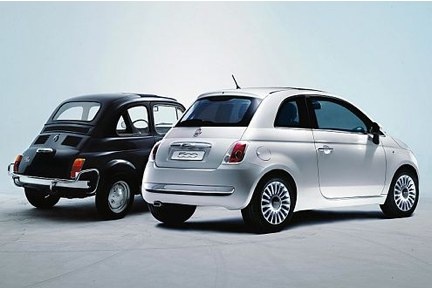
How to Install the Rear Camera on the Fiat 500
Model: Fiat 500
312
- Years:
2007, 2008, 2009, 2010, 2011, 2012, 2013, 2014, 2015, 2016, 2017, 2018
Video tutorial
This guide outlines the main instructions for installing the rear camera on the Fiat 500. First, obtain the appropriate kit for your vehicle, ensuring the display is compatible with the dashboard instrumentation; then, install the camera above the number plate, centring it perfectly as shown in the video. Next, route the wiring through the tailgate and along the pillars, bringing it to the display for viewing; make the necessary modifications to the wiring to adapt the new multimedia system to the existing setup, following the video tutorial to the end!
Updated on 14 August 2026 by ScegliAuto
Related tutorials
Fiat 500
(2007-2024 /
312)
Today's main instructions will show you how to install the internal rear-view mirror with a rear camera on the Fiat 500 Abarth. First, get into the v…

Fiat 500
(2007-2024 /
312)
In this guide we will see the instructions that will allow us to install the rear camera of the Fiat 500. First of all, let's get the rear camera kit…

Fiat 500
(2007-2024 /
312)
To install the rear camera on the Fiat 500, open the tailgate: this will allow you to remove the screws and clips that secure the internal trim of th…
Other guides you may be interested in
|
Frequently Asked QuestionsHow to lower the rear seats in the Peugeot 206?
In this tutorial, you will see how to lower the rear seats in the Peugeot 206, a very simple and quick operation, for example, if you need more space in the boot. First, open both the doors and the tailgate, then unclip the seat base and position it vertically. Next, remove the horizontal partition, locate the release levers at the ends of both seatbacks, and, by operating them, lower the seatbacks. To reassemble everything, simply follow the reverse procedure. by ScegliAuto More videos
|
|
For advertising on this site Write to info@scegliauto.com
ScegliAuto is not responsible for any inaccuracy of the data in the lists. To report any inaccuracy or your business (if you own the business in question), please write to info@scegliauto.com
Number of seconds to generate the page: 0.022
(c) ScegliAuto 2026 - info@scegliauto.com - Privacy policy VAT number: IT01247470535 |
