
|
Do it yourself
| |||
| ||||


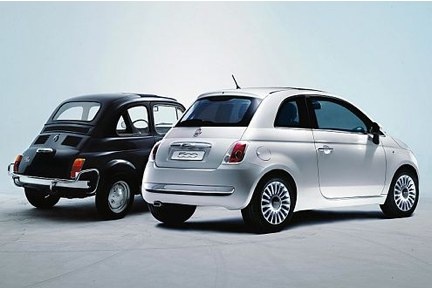
How to Replace the Front Headlight Bulb on the Fiat 500e 2016
Model: Fiat 500
312
- Years:
2007, 2008, 2009, 2010, 2011, 2012, 2013, 2014, 2015, 2016, 2017, 2018
Video tutorial
If you have a 2016 Fiat 500e and want to know the steps to replace the front headlight bulb yourself, read this guide carefully and follow the described steps. First, unlock the front bonnet using the button located under the dashboard, then open the bonnet and remove the protective cap at the rear of the headlight. Next, unscrew the bulb holder and replace the faulty bulb with a new one.
Updated on 20 September 2026 by ScegliAuto
Related tutorials
Fiat 500
(2020-2026 /
500 E, 332)
Replacing the rear light bulb on a Fiat 500e involves simple and quick steps that you can carry out yourself. To replace the bulb, you need to remove…

Fiat 500
(2020-2026 /
500 E, 332)
In this new guide, we will describe the steps you need to take in order to quickly locate the fuse box of your Fiat 500e. First of all, park the car …

Fiat 500
(2020-2026 /
500 E, 332)
Following the instructions in this guide, you will see how to reset the tyre pressure monitoring system (TPMS) warning light on the Fiat 500e; before…
Other guides you may be interested in
|
How to reset the tyre pressure warning light on the Dacia Sandero?
The tyre pressure warning light that appears on the instrument cluster of the Dacia Sandero can be reset by inflating the tyres until they reach the correct pressure value: this value is indicated on the sticker attached to the driver’s door pillar. Once the inflation is complete, navigate through the menu that appears on the instrument cluster to find the option related to the tyres: select this with the OK button, which should then be held down for a few seconds to completely turn off the light. by ScegliAuto More videos
|
|
For advertising on this site Write to info@scegliauto.com
ScegliAuto is not responsible for any inaccuracy of the data in the lists. To report any inaccuracy or your business (if you own the business in question), please write to info@scegliauto.com
Number of seconds to generate the page: 0.071
(c) ScegliAuto 2026 - info@scegliauto.com - Privacy policy VAT number: IT01247470535 |
