
|
Do it yourself
| |||
| ||||


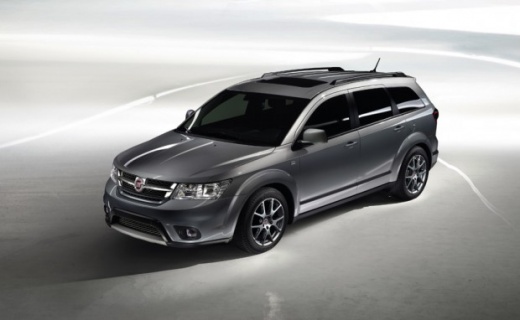
How to Update Uconnect on a Fiat Freemont
Model: Fiat Freemont
MK 1
- Years:
2011, 2012, 2013, 2014, 2015, 2016
Video tutorial
Updating Uconnect on a Fiat Freemont is a fairly simple and quick operation to perform independently. Start by visiting the Fiat website to download the system update, save the file to a USB stick, and then get into the vehicle. Insert the USB stick into the appropriate port, and with the onboard computer and instrument cluster switched on, press the A/C and recirculation buttons on the central dashboard. Access the settings menu and install the system update, wait for the necessary time, and then turn off and on the instrument cluster.
Updated on 15 October 2026 by ScegliAuto
Related tutorials
Fiat Freemont
(2011-2016 /
MK 1)
Before you can start, turn the wheels of your Fiat Freemont fully to the right. Begin by removing the inner wheel arch liner. This will give you acce…
Fiat Freemont
(2011-2016 /
MK 1)
In the Fiat Freemont, the battery is positioned in an unusual place compared to other cars; however, removing and replacing it is not a complicated o…
Fiat Freemont
(2011-2016 /
MK 1)
Before starting, turn the wheels of your Fiat Freemont to the right. Begin by removing the inner wheel arch liner using a flathead screwdriver for le…
Other guides you may be interested in
|
How to Reset the SOS System Error on the Audi A4
This guide provides information on how to restore the functionality of the SOS emergency call system on the Audi A4. The SOS system is now available on almost all models from the manufacturer; one of the most common issues is related to the malfunction of the SOS system, for which we will outline possible solutions. The issue can sometimes be resolved by resetting the MMI multimedia system by holding down the power button; otherwise, it will be necessary to perform a diagnostic check at the nearest service center. by ScegliAuto More videos
|
|
For advertising on this site Write to info@scegliauto.com
ScegliAuto is not responsible for any inaccuracy of the data in the lists. To report any inaccuracy or your business (if you own the business in question), please write to info@scegliauto.com
Number of seconds to generate the page: 0.036
(c) ScegliAuto 2026 - info@scegliauto.com - Privacy policy VAT number: IT01247470535 |
