
|
Do it yourself
| |||
| ||||


Replacing the battery of the Ford Ecosport key remote.
Model: Ford Ecosport
BK, MK 1
- Years 2012-2023
Let's briefly go over the instructions that will allow us to remove and replace the battery of the Ford Ecosport key remote. First, take the remote in hand and start by removing the physical key from inside it; then, pry open the sides of the plastic back cover, removing it to access the battery compartment, as shown in the video. At this point, remove the old battery and replace it with a new one of the correct type (in this case, a CR 2450); insert it in the correct direction and reassemble the remote, checking its functionality.
Posted on 20 December 2025 by ScegliAuto
Video tutorial
Related tutorials
Ford Ecosport
(2012-2023 /
BK, MK 1)
To replace the battery of the Ford Ecosport car remote, we need to lift the metal key and insert a flat-head screwdriver along the side perimeter of …

Ford Ecosport
(2012-2023 /
BK, MK 1)
One of the causes of a car key malfunction is a low battery in the remote control. Replacing the battery on a Ford Ecosport remote control is a very …

Ford Ecosport
(2012-2023 /
BK, MK 1)
Today we will see how to remove and replace the remote control battery of a Ford Ecosport key, following these simple steps. First of all we take our…
Other guides you may be interested in
|
How to Replace the Battery in the Key Fob of a Seat Leon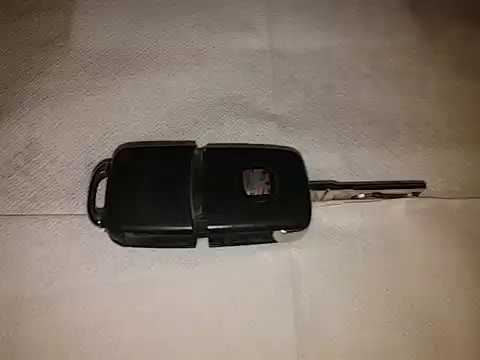
Learn how to replace the battery in the key fob of a Seat Leon: take your key fob and press the metal key release button; use a screwdriver to pry between the two covers of the key (in the space where the metal key fits). Pry until the cover opens, then remove the worn battery with a small screwdriver, and take a new one of the same size and voltage. Install the small battery in the cover or replace it with a new one and press the key case until you hear it click shut. Finally, join the two covers and check the proper functioning of the key fob by pressing the buttons. by ScegliAuto More videos
|
|
For advertising on this site Write to info@scegliauto.com
ScegliAuto is not responsible for any inaccuracy of the data in the lists. To report any inaccuracy or your business (if you own the business in question), please write to info@scegliauto.com
Number of seconds to generate the page: 0.120
(c) ScegliAuto 2026 - info@scegliauto.com - Privacy policy VAT number: IT01247470535 |
