
|
Do it yourself
| |||
| ||||


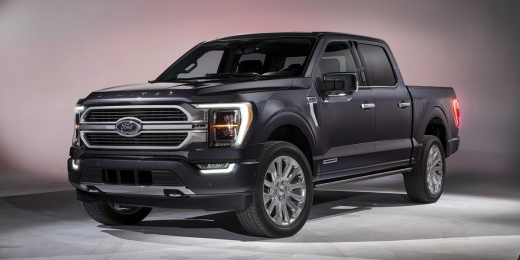
How to Put a Ford F-150 with Electronic Parking Brake into Brake Service Mode
Model: Ford F-150
MK 14
- Years:
2021, 2022, 2023, 2024, 2025, 2026
Video tutorial
Let's see how to put the electronic parking brake of a Ford F-150 into service mode: turn on the ignition and fully press the accelerator pedal. At the same time, press the parking brake button down (as if to release it) and hold it down. Keep both pressed (accelerator and button) for about 5 seconds. While holding them, turn off the ignition, wait a few seconds, and then turn the ignition back on. The brake warning light on the dashboard will flash, and the display will show "Park brake maintenance mode"; at this point, you can safely work on the rear brakes. To deactivate the mode, turn on the ignition. Hold the accelerator, pull the parking brake button as if to engage it, and while holding both, turn off the ignition. Turn the ignition back on, and the brake warning light will disappear.
Posted on 9 May 2026 by ScegliAuto
Related tutorials
Ford F-150
(2015-2020 /
MK 13)
If you need to replace one of the two wiper blades on your Ford F-150 and don't know how to do it, just follow the procedure described below and appl…

Ford F-150
(2009-2014 /
MK 12)
This useful video shows all the detailed diagrams of the fuse boxes in a Ford F-150, model mk12 produced from 2009 to 2014. These diagrams accurately…

Ford F-150
(2009-2014 /
MK 12)
The video shows how to replace the battery in a Ford F-150 pickup truck of the latest model. It is a relatively simple procedure. First, ensure the v…
Other guides you may be interested in
|
How to Open the Fuel Flap on a Volkswagen Tiguan?
To open the fuel flap on a Volkswagen Tiguan, first unlock the car using the appropriate button on the remote. This will open the car and unlock the mechanism that controls the fuel flap. At this point, apply light pressure to the left side of the flap to open it and access the cap underneath. Once this is unscrewed, you can refuel and then close everything. by ScegliAuto More videos
|
|
For advertising on this site Write to info@scegliauto.com
ScegliAuto is not responsible for any inaccuracy of the data in the lists. To report any inaccuracy or your business (if you own the business in question), please write to info@scegliauto.com
Number of seconds to generate the page: 0.141
(c) ScegliAuto 2026 - info@scegliauto.com - Privacy policy VAT number: IT01247470535 |
