
|
Do it yourself
| |||
| ||||


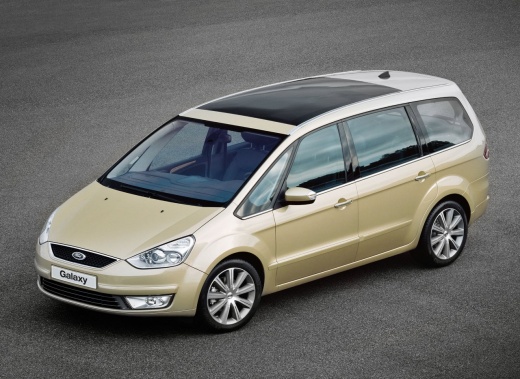
How to Replace the Battery on the Ford Galaxy?
Model: Ford Galaxy
MK 2
- Years:
2006, 2007, 2008, 2009, 2010, 2011, 2012, 2013, 2014, 2015
Video tutorial
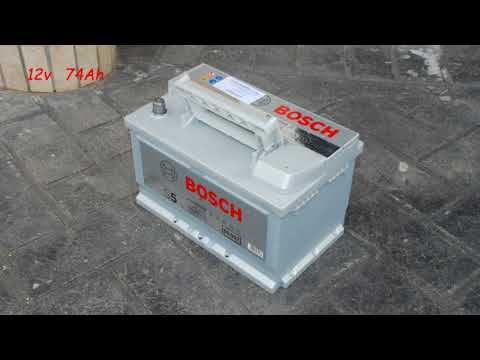
To replace the battery on the Ford Galaxy, open the bonnet and loosen the screws that secure the air filter box. Once this has been loosened, you can access the battery, which is located behind the aforementioned box and immediately under the windscreen. Then, disconnect the terminals connected to the device and loosen the securing bolts. Now, you can remove the battery from its housing and replace it with a new spare part; once the new battery is inserted, you can also secure the air filter box.
Updated on 3 May 2026 by ScegliAuto
Related tutorials
Ford Galaxy
(2006-2015 /
MK 2)
The fuse box in your Ford Galaxy second generation (2006-2015) is located in the engine compartment. In this mini guide, you will learn how to easily…

Ford Galaxy
(2006-2015 /
MK 2)
This guide provides step-by-step instructions to remove and replace the battery on a Ford Galaxy in simple and quick steps. First, open the bonnet an…
Ford Galaxy
(2006-2015 /
MK 2)
Before you begin, open the front bonnet of your Ford Galaxy. Start by removing the air filter housing by undoing the relevant screws, disconnecting t…
Other guides you may be interested in
|
How to Remove the Toll Tag Holder from the Car Windscreen
The toll tag holder is usually attached to the car windscreen to ensure that the toll tag functions immediately when passing through barriers. However, if you decide to remove the holder, you should follow this procedure: - Insert the toll tag into the holder; - Pull the holder inwards to detach it from the windscreen; you can use a glass scraper or a stiff plastic card to assist you; After removing the holder, it is essential to remove the adhesive from the windscreen. To remove the adhesive, we recommend using a solvent-based spray that will remove the glue without clouding the area. by ScegliAuto More videos
|
|
For advertising on this site Write to info@scegliauto.com
ScegliAuto is not responsible for any inaccuracy of the data in the lists. To report any inaccuracy or your business (if you own the business in question), please write to info@scegliauto.com
Number of seconds to generate the page: 0.065
(c) ScegliAuto 2026 - info@scegliauto.com - Privacy policy VAT number: IT01247470535 |
