
|
Do it yourself
| |||
| ||||


How to Reset the Service Light on the Ford Focus
Model: Ford Focus
MK 3
- Years 2011-2018
Whenever you change the engine oil and filter, and thus perform the service on the vehicle, you will need to clear and update the service indication that lights up on the dashboard. To do this, follow this tutorial and the instructions below, also taking a look at the video: first, access the driver's seat, turn on the ignition, and press the accelerator and brake pedals down simultaneously. Keep these two pedals pressed until the display shows the indication "service reset in progress," and after a few seconds, the indication will disappear.
Updated on 21 May 2026 by ScegliAuto
This video is currently unavailable
Related tutorials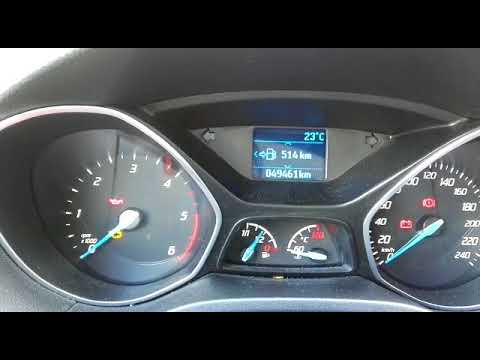
Ford Focus
(2011-2018 /
MK 3)
Before you can start, sit in the driver's seat of your Ford Focus. Begin by pressing and holding the brake and accelerator pedals, while activating t…

Ford Focus
(2011-2018 /
MK 3)
Manually resetting the service light on your 2016 Ford Focus is straightforward. Enter the vehicle and sit in the driver's seat. Press the brake and …

Ford Focus
(2011-2018 /
MK 3)
Today we will explain how to reset the service light on Ford Kuga, Ford Mondeo, Ford Fiesta, and Ford Focus vehicles. Specifically, today we will see…
Other guides you may be interested in
|
Where is the Spare Wheel in the Peugeot 5008?
This video shows where the spare wheel is located in the Peugeot 5008 and how to access it, useful in case of a puncture. As shown, the wheel is not in the usual boot compartment but underneath it, outside the vehicle. To free the wheel, first gather the tools provided, then open the boot, locate the small indicated hatch, and open it. Next, loosen the bolt just released using the large socket wrench enough to lower the wheel to the ground. by ScegliAuto More videos
|
|
For advertising on this site Write to info@scegliauto.com
ScegliAuto is not responsible for any inaccuracy of the data in the lists. To report any inaccuracy or your business (if you own the business in question), please write to info@scegliauto.com
Number of seconds to generate the page: 0.103
(c) ScegliAuto 2026 - info@scegliauto.com - Privacy policy VAT number: IT01247470535 |
