
|
Do it yourself
| |||
| ||||


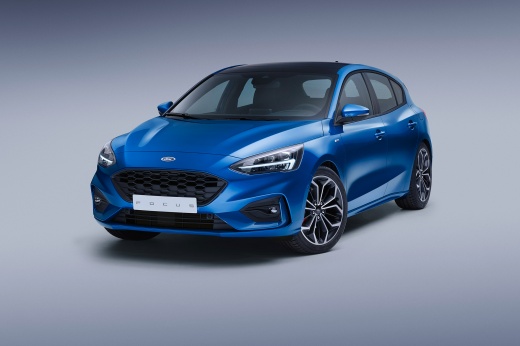
How to replace the remote battery of the Ford Focus
Model: Ford Focus
MK 4
- Years:
2018, 2019, 2020, 2021, 2022, 2023, 2024, 2025
Video tutorial
In this video, see how to extract the emergency blade and replace the battery of the fourth series Ford Focus remote. To extract the blade, press the two side buttons, and a small compartment will unlock where you will find the item, corresponding to the Ford logo. To proceed with the battery replacement, lever on the side and detach the casing. At this point, the battery will be clearly visible and easy to replace. Specifically, it is a 2032 battery rated at 3V. Now reassemble everything and check if the key functions correctly.
Updated on 26 May 2026 by ScegliAuto
Related tutorials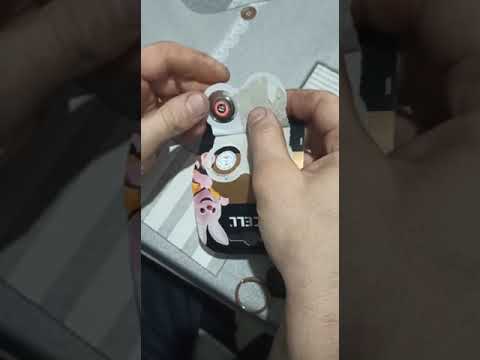
Ford Focus
(2011-2018 /
MK 3)
When the remote for your Ford Focus stops working, the cause is almost always a flat battery. To replace the remote battery of a Ford Focus, you must…

Ford Focus
(2011-2018 /
MK 3)
To replace the remote battery of a Ford Focus, use a tool like a screwdriver to pry open the right side of the device. This will allow you to complet…

Ford Focus
(2011-2018 /
MK 3)
To replace the battery of the Ford Focus remote control, you need to pry with an object like a screwdriver at the bottom of the device: by doing so, …
Other guides you may be interested in
|
How to Reset the Tyre Pressure Warning Light on the Jeep Renegade?
To reset the tyre pressure warning light on the Jeep Renegade, inflate the tyres until they reach the recommended pressure: this value is indicated on the sticker attached to the driver’s door pillar. Once the tyres are properly inflated, navigate through the menu that appears on the instrument cluster until you find the tyre pressure option. At this point, press and hold the OK button on the right side of the steering wheel to make the warning light disappear. by ScegliAuto More videos
|
|
For advertising on this site Write to info@scegliauto.com
ScegliAuto is not responsible for any inaccuracy of the data in the lists. To report any inaccuracy or your business (if you own the business in question), please write to info@scegliauto.com
Number of seconds to generate the page: 0.105
(c) ScegliAuto 2026 - info@scegliauto.com - Privacy policy VAT number: IT01247470535 |
