
|
Do it yourself
| |||
| ||||


Replacing the Battery in a 2018 Ford F350
Model: Ford Ford Various
Video tutorial
This video shows how to replace the battery in a 2018 Ford F350. It is not a difficult task and can be done independently. Open the bonnet. The battery is located at the front, on the driver's side. Disconnect the negative terminal first, then the positive, to avoid electric shock. Unscrew the 10 mm nuts and remove the bracket holding the battery in place. Remove the heat shield and fit it onto the new battery. Place the battery back in its location. Refit the bracket and secure it by tightening the nuts. Connect the two terminals, first the negative and then the positive.
Updated on 2 June 2026 by ScegliAuto
Related tutorials
Ford Ford Various
This guide shows how to reset the oil change light on the 2017 Ford F350. This operation is quick and simple using the controls on the steering wheel…
Ford Ford Various
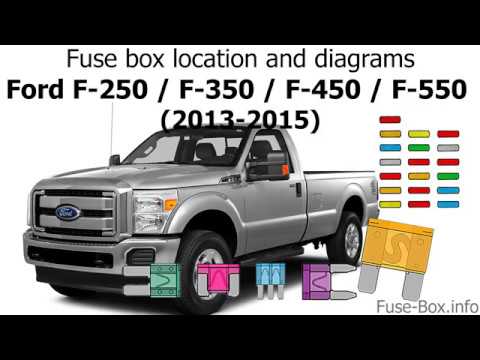
The first fuse panel in a Ford F350 vehicle is located behind the cover on the edge in front of the passenger seat, under the glove compartment, thus…

Ford Ford Various
This guide shows the fuse assignments for a Ford F350 manufactured between 2008 and 2010. The first fuse box is located inside the vehicle, behind th…
Other guides you may be interested in
|
How to lower the rear seats in the Peugeot 206?
In this tutorial, you will see how to lower the rear seats in the Peugeot 206, a very simple and quick operation, for example, if you need more space in the boot. First, open both the doors and the tailgate, then unclip the seat base and position it vertically. Next, remove the horizontal partition, locate the release levers at the ends of both seatbacks, and, by operating them, lower the seatbacks. To reassemble everything, simply follow the reverse procedure. by ScegliAuto More videos
|
|
For advertising on this site Write to info@scegliauto.com
ScegliAuto is not responsible for any inaccuracy of the data in the lists. To report any inaccuracy or your business (if you own the business in question), please write to info@scegliauto.com
Number of seconds to generate the page: 0.050
(c) ScegliAuto 2026 - info@scegliauto.com - Privacy policy VAT number: IT01247470535 |
