
|
Do it yourself
| |||
| ||||


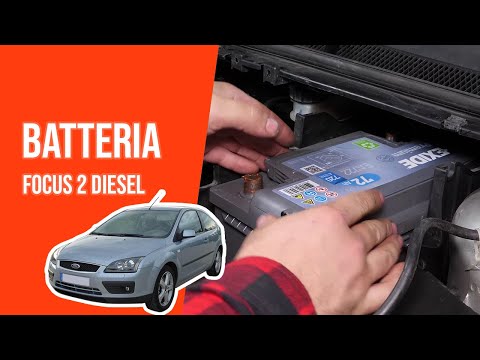
How to replace the battery on a Ford Focus 1.5 TDCi?
Model: Ford Focus
MK 2, Focus 2
- Years:
2004, 2005, 2006, 2007, 2008, 2009, 2010, 2011
Video tutorial
To replace the battery on a Ford Focus, open the bonnet and remove any obstructing parts that prevent access to the battery, such as the air filter box. Once this is removed, detach the plastic covers surrounding the battery by unscrewing their securing bolts and disconnecting the power cables. After the battery is freed, remove it and replace it with a new one. The new battery should then be properly connected and secured.
Updated on 16 June 2026 by ScegliAuto
Related tutorials
Ford Focus
(2004-2011 /
MK 2, Focus 2)
To replace the battery of the Ford Focus 1.6 TDCi, open the bonnet and remove the cover located at the top right of the engine bay. Under this cover,…
Ford Focus
(2004-2011 /
MK 2, Focus 2)
In this tutorial, you can see how to replace the battery in the Ford Focus 1.8 TDCi. Start by removing the key and opening the bonnet, then remove th…

Ford Focus
(2004-2011 /
MK 2, Focus 2)
To replace the starter motor on the Ford Focus 1.6 TDCi, open the bonnet to access the components located inside the engine bay: on the right side, y…
Other guides you may be interested in
|
Where are the fuses located on the Renault Laguna?
On the Renault Laguna, the fuses are located inside the fuse boxes installed in the vehicle: in this car model, you will find two boxes for containing the fuses. The first is in the fuse box on the left side of the dashboard, accessible by opening the driver's door: here you will find the fuses for the windscreen wipers, fog lights, horn, etc. The second box is located on the right side of the engine compartment: here you will find the fuses for the dipped headlights, radiator fan, alternator, etc. by ScegliAuto More videos
|
|
For advertising on this site Write to info@scegliauto.com
ScegliAuto is not responsible for any inaccuracy of the data in the lists. To report any inaccuracy or your business (if you own the business in question), please write to info@scegliauto.com
Number of seconds to generate the page: 0.093
(c) ScegliAuto 2026 - info@scegliauto.com - Privacy policy VAT number: IT01247470535 |
