
|
Do it yourself
| |||
| ||||


How to Reset the Maintenance Light on the Ford Kuga
Model: Ford Kuga
C520, MK 2
- Years 2012-2019
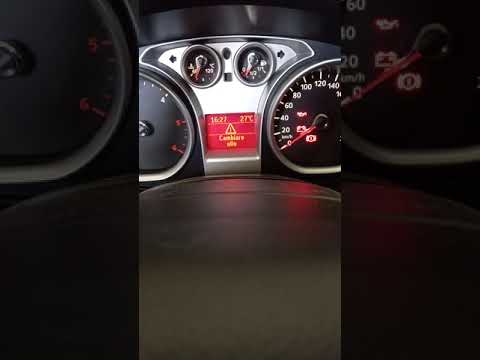
If you have just completed the service on your Ford Kuga and notice the warning light illuminated on the dashboard, do not worry as you can perform a manual reset to eliminate it permanently and at no cost. First, insert the key and turn on the vehicle's ignition without starting the engine. Next, navigate through the onboard computer menu and select the maintenance option. Scroll down using the directional arrows and select the oil change option. At this point, press and hold the "OK" button until a message confirming the completion of the reset appears.
Updated on 16 June 2026 by ScegliAuto
This video is currently unavailable
Related tutorials
Ford Kuga
(2020-2026 /
MK 3)
To make the Service light on the Ford Kuga disappear, you need to turn on the instrument panel by inserting the ignition key into the corresponding s…
Ford Kuga
(2008-2012 /
C394, MK 1)
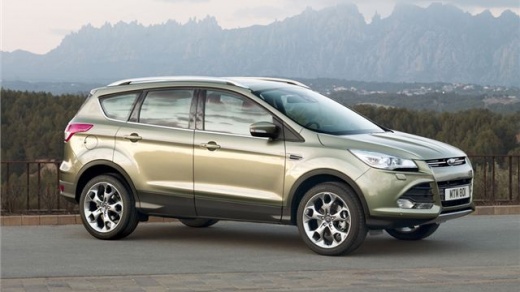
Discover the instructions on how to reset the service light for the regular maintenance oil change on the first generation Ford Kuga, in simple and q…

Ford Kuga
(2020-2026 /
MK 3)
In this brief video tutorial, you will learn how to reset the maintenance light on a 2020 Ford Kuga with a 1.5 TDCi engine producing 120 bhp. To star…
Other guides you may be interested in
|
Frequently Asked QuestionsHow to reset the tyre pressure warning light on a Hyundai Tucson
Below are the instructions to reset the tyre pressure warning light (TPMS) on a Hyundai Tucson. First, get into the vehicle and turn on the instrument cluster; then navigate to the vehicle settings until you reach the tyre pressure monitor, identifying the tyre with incorrect pressure. At this point, restore all tyre pressures according to the specifications indicated on the label; this will reset the TPMS and the warning light will be cleared from the instrument cluster! by ScegliAuto More videos
|
|
For advertising on this site Write to info@scegliauto.com
ScegliAuto is not responsible for any inaccuracy of the data in the lists. To report any inaccuracy or your business (if you own the business in question), please write to info@scegliauto.com
Number of seconds to generate the page: 0.804
(c) ScegliAuto 2026 - info@scegliauto.com - Privacy policy VAT number: IT01247470535 |
