
|
Do it yourself
| |||
| ||||



Replacing the Air Supply Hose in a Ford Galaxy
Model: Ford Galaxy
MK 2
- Years:
2006, 2007, 2008, 2009, 2010, 2011, 2012, 2013, 2014, 2015
Video tutorial
In this descriptive video, see how to replace the air supply hose that runs from the intercooler to the intake manifold in a Ford Galaxy 2000 TDI. In this vehicle, the engine warning light would come on at certain RPMs, and you could hear air escaping. First, purchase a new original Ford hose from an authorised dealer. Lift the bonnet and secure it, then remove the upper engine cover. The hose is secured by two clips; to remove the lower clip, you need to take off the headlight, so unscrew the fastening elements of the headlight and then disconnect the connector. Once the headlight is removed, use a 7mm spanner to remove the clip. After unscrewing the two clips, you can slide out the hose. Now, fit the new hose in place with the appropriate clips and then reassemble the previously removed headlight.
Updated on 5 August 2026 by ScegliAuto
Related tutorials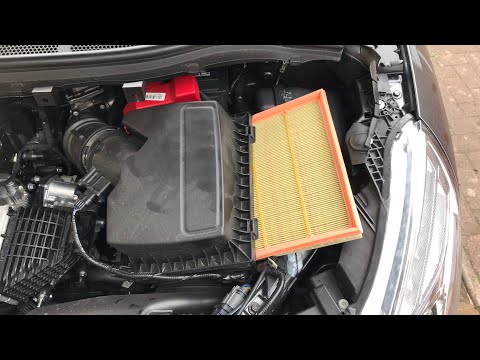
Ford Galaxy
(2006-2015 /
MK 2)
Replace the air filter of a Ford Galaxy if you have reached the mileage indicated in the workshop manual. Open the car door, pull up the engine compa…

Ford Galaxy
(2006-2015 /
MK 2)
This guide provides step-by-step instructions to remove and replace the battery on a Ford Galaxy in simple and quick steps. First, open the bonnet an…

Ford Galaxy
(2006-2015 /
MK 2)
To replace the battery on the Ford Galaxy, open the bonnet and loosen the screws that secure the air filter box. Once this has been loosened, you can…
Other guides you may be interested in
|
How to Change the Time on the Peugeot 208
Today's guide will show you how to set the clock on the Peugeot 208's onboard computer, following the instructions below. First, get in the car and turn on the instrument panel; then press and hold the settings button on the panel for a few seconds until the time starts to flash, as shown in the video. At this point, press the left button to correctly set the time, adjusting the hour first and then the minutes; exit the onboard computer menu to save all the changes made! by ScegliAuto More videos
|
|
For advertising on this site Write to info@scegliauto.com
ScegliAuto is not responsible for any inaccuracy of the data in the lists. To report any inaccuracy or your business (if you own the business in question), please write to info@scegliauto.com
Number of seconds to generate the page: 0.029
(c) ScegliAuto 2026 - info@scegliauto.com - Privacy policy VAT number: IT01247470535 |
