
|
Do it yourself
| |||
| ||||


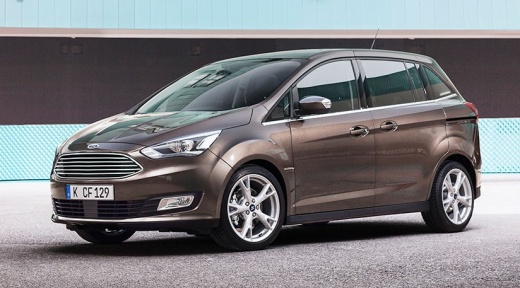
How to Fix the Cigarette Lighter Socket in the Ford C-Max
Model: Ford C Max
MK 2
- Years:
2010, 2011, 2012, 2013, 2014, 2015, 2016, 2017, 2018, 2019
Video tutorial
In today's video, see how to fix the cigarette lighter socket in the Ford C-Max. First, check that the problem is not due to a faulty power connector. Once confirmed, open the designated compartment and locate the fuse box. Access it and proceed to replace the specific unit. After that, check the correct functioning of the device. If all is well, close the fuse box and finish the job. You can purchase fuses from major parts websites or local physical shops.
Updated on 30 June 2026 by ScegliAuto
Related tutorials
Ford C Max
(2010-2019 /
MK 2)
If you want to connect a diagnostic tool to your Ford C Max second generation (2011) but do not know where the OBD port is located, do not worry as t…
Ford C Max
(2010-2019 /
MK 2)
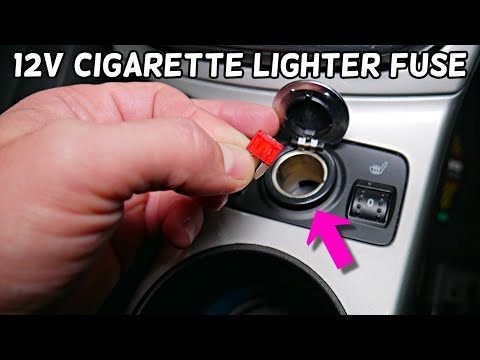
In this video, you will see where the fuse for the cigarette lighter is located in the Ford C-MAX, an element to check in case of complete malfunctio…

Ford C Max
(2010-2019 /
MK 2)
You can completely reset the tyre pressure warning light on the Ford C-Max instrument cluster by inflating the car's tyres to the optimal pressure va…
Other guides you may be interested in
|
How to lower the rear seats in the Peugeot 206?
In this tutorial, you will see how to lower the rear seats in the Peugeot 206, a very simple and quick operation, for example, if you need more space in the boot. First, open both the doors and the tailgate, then unclip the seat base and position it vertically. Next, remove the horizontal partition, locate the release levers at the ends of both seatbacks, and, by operating them, lower the seatbacks. To reassemble everything, simply follow the reverse procedure. by ScegliAuto More videos
|
|
For advertising on this site Write to info@scegliauto.com
ScegliAuto is not responsible for any inaccuracy of the data in the lists. To report any inaccuracy or your business (if you own the business in question), please write to info@scegliauto.com
Number of seconds to generate the page: 0.142
(c) ScegliAuto 2026 - info@scegliauto.com - Privacy policy VAT number: IT01247470535 |
