
|
Do it yourself
| |||
| ||||


How to Replace the Front Fog Light on the Ford Explorer Mk4
Model: Ford Explorer
U251, MK 4
- Years 2006-2010
This guide shows how to replace the front fog lights on the Ford Explorer Mk4. First, lift the vehicle and disconnect the power cable of the fog light. Then, using a small flathead screwdriver, press on the three locking pins of the light to release it from its housing. From the front of the vehicle, remove the light and replace it with a new one. Push firmly to engage the securing clips and reassemble the bulb holder and connector. Check the correct operation of the light before hitting the road.
Updated on 5 August 2026 by ScegliAuto
Video tutorial
Related tutorials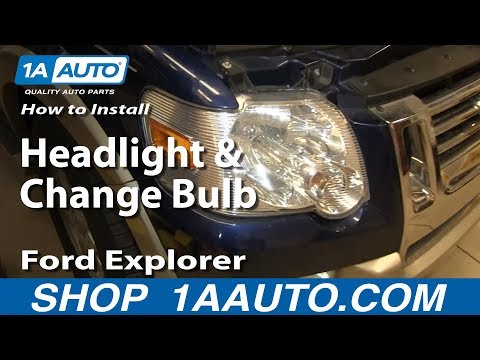
Ford Explorer
(2006-2010 /
U251, MK 4)
To replace the front headlamp bulb on a Ford Explorer, open the bonnet to loosen the bolts securing the headlamp at the top. Once these two bolts hav…

Ford Explorer
(2006-2010 /
U251, MK 4)
In this video, see how to disassemble and replace the rear light bulbs on the fourth series Ford Explorer in simple steps. First, open the rear tailg…
Ford Explorer
(2006-2010 /
U251, MK 4)
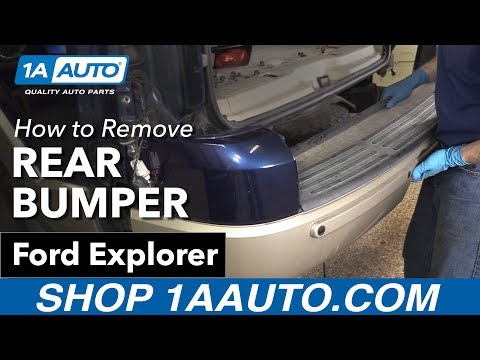
To replace the rear bumper of a Ford Explorer, open the tailgate so you can loosen the bolts securing the rear lights in their housings. Once these b…
Other guides you may be interested in
|
How to Open a Stuck Boot on the Peugeot 407?
On the Peugeot 407, the boot may become stuck, possibly due to a problem with the control button or the lock actuator. In such cases, you can perform an emergency opening by following the simple procedure shown in this tutorial. First, open the rear doors, then lower the seat back by operating the release lever. Next, go inside the boot, locate the lock, and manually operate it using a flathead screwdriver. The boot will then be free to open. by ScegliAuto More videos
|
|
For advertising on this site Write to info@scegliauto.com
ScegliAuto is not responsible for any inaccuracy of the data in the lists. To report any inaccuracy or your business (if you own the business in question), please write to info@scegliauto.com
Number of seconds to generate the page: 0.060
(c) ScegliAuto 2026 - info@scegliauto.com - Privacy policy VAT number: IT01247470535 |
