
|
Do it yourself
| |||
| ||||


Replacement of the Ford Ecosport remote control battery
Model: Ford Ecosport
BK, MK 1
- Years 2012-2023
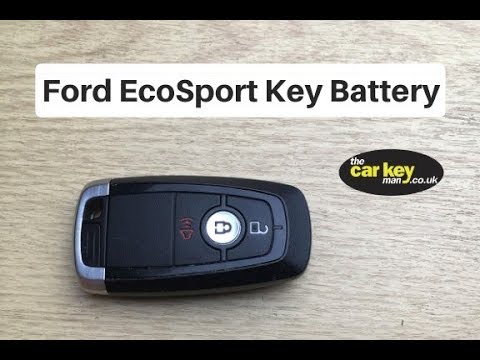
The opening and closing remote control for the Ford Ecosport doors can be of two types depending on the trim level. In the type with the foldable key handle, insert a small screwdriver on the side of the remote control body and push down the latch to release the battery cover, lift the cover and with the help of the screwdriver remove the depleted battery, replace it with a new CR2032 and close the cover. In the model without the external key, remove the emergency blade, use a coin to pry open the battery cover, use a small screwdriver to remove the old battery, install a new CR2032 and close the cover.
Posted on 22 May 2024 by ScegliAuto
Video tutorial
Related tutorials
Ford Ecosport
(2012-2023 /
BK, MK 1)
To replace the battery of the Ford Ecosport car remote, we need to lift the metal key and insert a flat-head screwdriver along the side perimeter of …

Ford Ecosport
(2012-2023 /
BK, MK 1)
One of the causes of a malfunctioning vehicle key is a flat remote battery. Replacing the battery in a Ford Ecosport remote is a very simple and quic…
Ford Ecosport
(2012-2023 /
BK, MK 1)
Today, see how to disassemble and replace the battery of the key fob for a Ford Ecosport by following these simple steps. First, take the key fob in …
Other guides you may be interested in
|
How to reset the tyre pressure warning light on the Suzuki Jimny?
To reset the tyre pressure warning light on the Suzuki Jimny, first inflate the tyres to the pressure value indicated on the corresponding sticker: this is located at the bottom of the driver's door pillar. Once the tyres are inflated, insert the ignition key and turn on the instrument panel: select the screen that indicates the tyre pressures, checking that the values change. After a few seconds, the tyre pressure warning light will automatically turn off. by ScegliAuto More videos
|
|
For advertising on this site Write to info@scegliauto.com
ScegliAuto is not responsible for any inaccuracy of the data in the lists. To report any inaccuracy or your business (if you own the business in question), please write to info@scegliauto.com
Number of seconds to generate the page: 0.182
(c) ScegliAuto 2026 - info@scegliauto.com - Privacy policy VAT number: IT01247470535 |
