
|
Do it yourself
| |||
| ||||


How to change the language of the Geely Icon
Model: Geely Geely Various
If you want to manually change the system language of your new Geely Icon, all you have to do is read the following mini guide carefully and put the steps described into practice. First, close all the car doors firmly and start the instrument panel. Press the menu button on the right side of the steering wheel and navigate inside using the directional arrows. Enter the settings and select the item "Vehicle". Immediately after, enter "Language" and choose the language you prefer. Finally, go back to save your changes and exit the menu.
Posted on 28 March 2022 by ScegliAuto
Video tutorial
Related tutorials
Geely Geely Various
These short and simple instructions will show us how to change the language of the Geely Azkarra's onboard computer. First of all, we get on board th…

Geely Geely Various
How to change the date and time on a Geely Coolray? We see it in this video: on the right side of the steering wheel, we find the menu button at the …

Geely Geely Various
We can do nothing against the technology and inventiveness of the Chinese giant. What can we Europeans do with our "fast charging" of 40 minutes agai…
Other guides you may be interested in
|
Replacing the Rear Window Regulator on a Grande Punto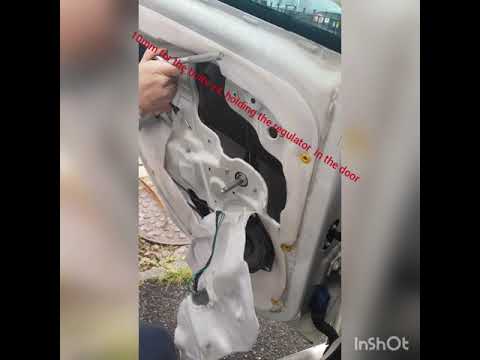
Replace the window regulator on a Fiat Grande Punto? Remove the door panel to access the window regulator motor. Use a lever to remove the manual window crank, then, with a screwdriver, unscrew the securing screws on the plastic panel. Once all screws are removed, use the lever to detach all the plastic clips that secure the door. Pull off the door panel by hand. Remove the access cover to the door and take out the window regulator motor and the rail with the glass. Pull out all the parts from inside the door and replace them with new ones. by ScegliAuto More videos
|
|
For advertising on this site Write to info@scegliauto.com
ScegliAuto is not responsible for any inaccuracy of the data in the lists. To report any inaccuracy or your business (if you own the business in question), please write to info@scegliauto.com
Number of seconds to generate the page: 0.051
(c) ScegliAuto 2026 - info@scegliauto.com - Privacy policy VAT number: IT01247470535 |
