
|
Do it yourself
| |||
| ||||



How to replace the battery of the Genesis G70 key.
Model: Genesis G70
MK 1
- Years:
2018, 2019, 2020, 2021, 2022, 2023, 2024, 2025
This video is currently unavailable
In the following guide, we will explain how you can replace the exhausted battery inside the key of your Genesis G70 with a new battery. First of all, remove the emergency key and then remove the back protective cover and unscrew the two screws holding the battery protective cap in place. Once you have unscrewed the two screws in question, proceed to remove the protective cap and replace the old battery with a new one (model CR2032 3V). Finally, reassemble all the various components you removed earlier and insert the physical key back into the cover.
Posted on 28 July 2025 by ScegliAuto
Related tutorials
Genesis G70
(2018-2025 /
MK 1)
If you own a Genesis G70 and want to learn the steps to replace the battery inside the key, read this guide and follow the instructions. First, purch…

Genesis G70
(2018-2025 /
MK 1)
When the key of your Genesis G70 suddenly stops working due to a drained battery, do not worry because you can easily replace the battery by followin…
Genesis G70
(2018-2025 /
MK 1)
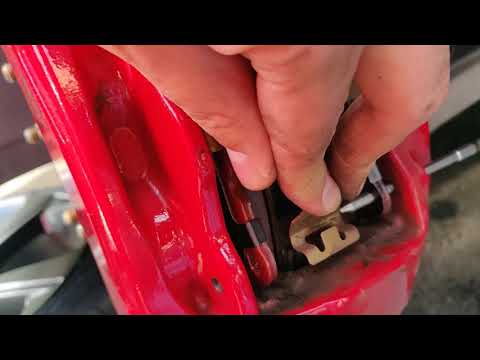
The procedure for replacing the brake pads on a Genesis G70 is the same for both the front and rear wheels. Lift the vehicle so that the wheels are o…
ScegliAuto offers an extensive international collection of automotive tutorials available in 12 languages. Each guide combines instructional videos with original explanations written by experienced human editors, along with information about the car models covered.
Other guides you may be interested in
|
What does the "Code 82" message indicate in the Chevrolet Orlando and how to remove it?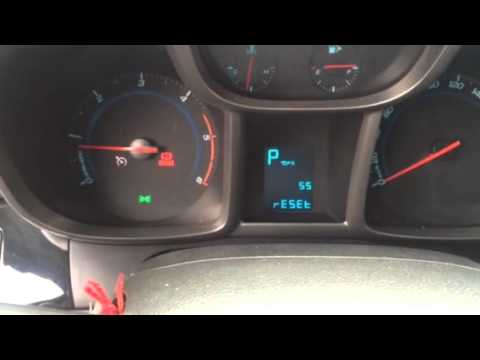
If the "Code 82" message appears on the dashboard of your Chevrolet Orlando, it means that the service interval in miles or time has been reached. Once all scheduled maintenance tasks are completed, you can remove the warning by following the simple procedure shown in this tutorial. First, insert the key and turn on the ignition, then press the "MENU" button located on the left control stalk and navigate to the screen displaying the "Reset" option. At this point, press the "SET/CLR" button at the end of the same stalk and confirm the reset. by ScegliAuto More videos
|
|
For advertising on this site Write to info@scegliauto.com
ScegliAuto is not responsible for any inaccuracy of the data in the lists. To report any inaccuracy or your business (if you own the business in question), please write to info@scegliauto.com
Number of seconds to generate the page: 0.100
(c) ScegliAuto 2026 - info@scegliauto.com - Privacy policy - About us VAT number: IT01247470535 |
