
|
Do it yourself
| |||
| ||||


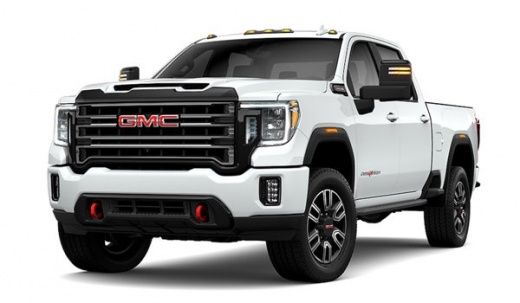
What is the GMC Sierra pickup fuse scheme?
Model: GMC Sierra
MK 5
- Years 2019-2026
In this video we can see the position of the fuse boxes, and the relative diagrams, of the GMC Sierra MK5 pick-up, useful in case a device is malfunctioning and we want to check the fuse. As we can see, in this model there are 3 boxes: the first two are placed on both sides of the dashboard, accessible by removing the bulkheads, while the third is placed inside the engine compartment, right in front of the battery. In the event that a fuse is broken, remember to always replace it with a spare of equivalent amperage, so as not to damage the user device.
Posted on 12 September 2022 by ScegliAuto
Video tutorial
Related tutorials
GMC Sierra
(2014-2018 /
MK 4)
In this video we can see where the fuse boxes of the GMC Sierra pick-up are located and what their respective diagrams are, useful in case we need to…

GMC Sierra
(2019-2026 /
MK 5)
In this video we can see where the fuse boxes of the GMC Sierra pick-up are located and what are the corresponding diagrams, to consult in case we ne…

GMC Sierra
(2019-2026 /
MK 5)
In this video we can see where the fuse boxes are located in the GMC Sierra pickup and what their respective diagrams are, to consult in case we need…
Other guides you may be interested in
|
How to Remove the Centre Console on a Renault Scenic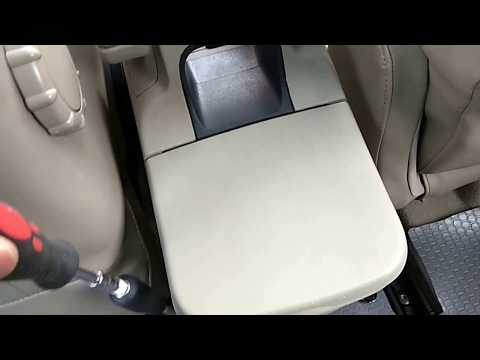
Watch this video to learn how to remove the glove compartment from the rear cover of the centre console on a Renault Scenic. Use a plastic lever to pry at the edge of the side plastics as shown in the video. Once the plastics are removed, unscrew the screws located at the sides of the centre console with a suitable screwdriver, and disconnect all the power connectors. Remove the side rests from the glove compartment. Fit the new piece onto the centre cover and proceed with the assembly of the remaining parts, working in reverse order. by ScegliAuto More videos
|
|
For advertising on this site Write to info@scegliauto.com
ScegliAuto is not responsible for any inaccuracy of the data in the lists. To report any inaccuracy or your business (if you own the business in question), please write to info@scegliauto.com
Number of seconds to generate the page: 0.161
(c) ScegliAuto 2026 - info@scegliauto.com - Privacy policy VAT number: IT01247470535 |
