
|
Do it yourself
| |||
| ||||


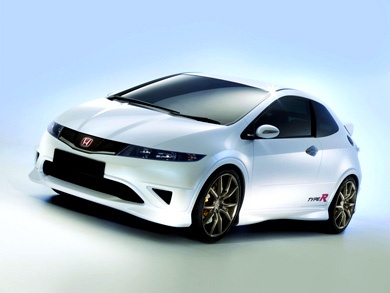
Resetting the Service Warning on the Honda Civic
Model: Honda Civic
- Years:
2006, 2007, 2008, 2009, 2010, 2011, 2012
Video tutorial
This guide will show you how to reset the maintenance warning light on the Honda Civic. First, get into the vehicle and press and hold the reset button located on the driver's side, to the left of the dashboard; then turn on the instrument cluster, waiting for the yellow maintenance key to disappear from the instrument cluster, as shown in the video. At this point, turn off the instrument cluster, start the engine, and check that the service warning has been correctly reset!
Posted on 9 October 2026 by ScegliAuto
Related tutorials
Honda Civic
(2012-2015 /
MK 9)
Today we will learn how to reset the tire pressure warning on the Honda Civic; before resetting the warning, it is necessary for all four tires to be…

Honda Civic
(2001-2006 /
MK 7)
Let's discover useful information on how to reset the maintenance service light for the regular oil change of the Honda Civic. First, get into the ca…

Honda Civic
(2006-2012 /
MK 8)
Let's discover the instructions for resetting the tire pressure warning on the Honda Civic; before resetting the TPMS sensors, it is necessary that a…
Other guides you may be interested in
|
How to Lower the Rear Seats of the Kia Sportage
Follow these instructions to lower the rear seats of the Kia Sportage in simple and quick steps. First, open the rear doors of the vehicle and pull the lever located on the side of the rear seat. Then, lower the backrest of the vehicle (deciding which backrests to lower), as shown in the video. This will significantly increase the load volume of the boot. Finally, reposition the rear seats to their original position by applying the reverse procedure! by ScegliAuto More videos
|
|
For advertising on this site Write to info@scegliauto.com
ScegliAuto is not responsible for any inaccuracy of the data in the lists. To report any inaccuracy or your business (if you own the business in question), please write to info@scegliauto.com
Number of seconds to generate the page: 0.486
(c) ScegliAuto 2026 - info@scegliauto.com - Privacy policy VAT number: IT01247470535 |
