
|
Do it yourself
| |||
| ||||


How to Reset the Oil Service on a Honda Civic?
Model: Honda Civic
MK 10
- Years 2016-2021
Resetting the oil service on a Honda Civic, as shown in this tutorial, is an extremely simple and quick operation. Before proceeding, ensure you have completed the required scheduled maintenance. Start by inserting the key and turning on the ignition, then using the designated button on the steering wheel, scroll through the display screens until you reach the fuel pump icon. Once there, scroll right, position yourself on the spanner icon, press the "Enter" button once to enter the submenu, and a second time to perform the reset.
Updated on 31 July 2026 by ScegliAuto
Video tutorial
Related tutorials
Honda Civic
(2016-2021 /
MK 10)
In this tutorial we can see how to reset the oil service in the Honda Civic, an extremely simple and quick operation, to be carried out only once all…

Honda Civic
(2022-2026 /
FL, MK 11, FE)
In this tutorial we can see how to reset the service in the Honda Civic, an extremely simple and fast operation, to be carried out only once all sche…

Honda Civic
(2006-2012 /
MK 8)
In this tutorial we can see how to reset the service in the Honda Civic, an extremely simple and fast operation, to be carried out only once all sche…
Other guides you may be interested in
|
How to Replace the Battery on a Honda Vision 110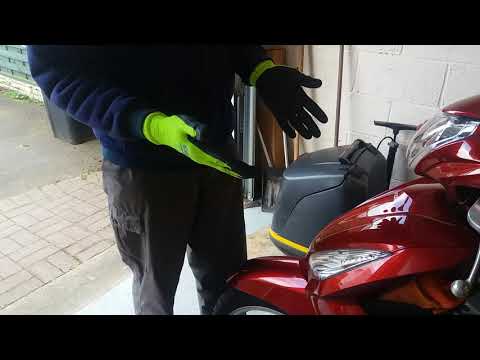
To replace the battery on a Honda Vision 110, you need to remove the front fairing of the motorcycle, located directly under the front headlamp. To loosen this panel, unscrew the two screws found at its top, just below the handlebar. Once these screws are loosened, lever under the panel to detach it, gaining access to the battery underneath: this battery must be removed from its housing by unscrewing the fixing screws and disconnecting the power cables, replacing it with a new one. by ScegliAuto More videos
|
|
For advertising on this site Write to info@scegliauto.com
ScegliAuto is not responsible for any inaccuracy of the data in the lists. To report any inaccuracy or your business (if you own the business in question), please write to info@scegliauto.com
Number of seconds to generate the page: 0.423
(c) ScegliAuto 2026 - info@scegliauto.com - Privacy policy VAT number: IT01247470535 |
