
|
Do it yourself
| |||
| ||||


How to Replace the Clutch Fluid of the Husqvarna TX 300?
Model: Husqvarna Tx 300
Video tutorial
To replace the clutch fluid of the Husqvarna TX 300, open the cover of the box located near the lever on the left side of the handlebars. The fluid must be drained by inserting a tube connected to a pump into the box. Once all the fluid has been drained, open the cap located near the clutch and insert the tube inside, with the other end in the container with the new fluid. By pumping the left lever, the fluid level inside the box will rise, and when it reaches the maximum, stop pumping and close both the cap near the clutch and the box.
Updated on 30 April 2026 by ScegliAuto
Related tutorials
Tx 300
You can change the engine oil on a Husqvarna TX 300 by loosening the drain plug located at the bottom centre of the instrument panel, allowing the us…

Tx 300
It will be possible to replace the stator of the Husqvarna TX 300 by loosening the screws that secure the specific cover housing located on the left …
Tx 300
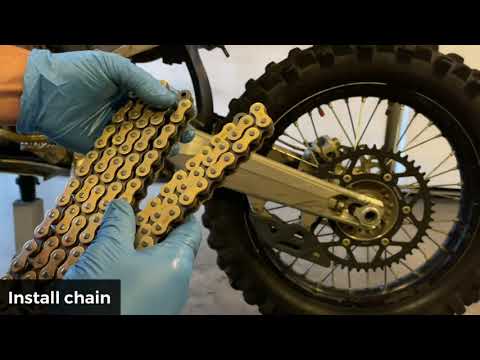
In this video tutorial, see how to disassemble and replace the transmission kit (sprocket, pinion, and chain) on the Husqvarna TX 300 enduro bike. Fi…
|
How to Replace the Clutch on the KTM XCF 450?
To replace the clutch on the KTM XCF 450, loosen the screws securing the corresponding cover located on the right side of the bike. Once the cover screws are loosened, you can remove it to access the underlying clutch. By unscrewing the corresponding bolts, you can extract all the discs that make up the clutch, allowing you to insert the new replacement parts. After inserting them, secure them with the corresponding screws and cover everything back up with the cover. by ScegliAuto More videos
|
|
For advertising on this site Write to info@scegliauto.com
ScegliAuto is not responsible for any inaccuracy of the data in the lists. To report any inaccuracy or your business (if you own the business in question), please write to info@scegliauto.com
Number of seconds to generate the page: 0.006
(c) ScegliAuto 2026 - info@scegliauto.com - Privacy policy VAT number: IT01247470535 |
