
|
Do it yourself
| |||
| ||||


Husqvarna Tx 300 - Video guides Husqvarna Tx 300
 How to Change the Engine Oil on a Husqvarna TX 300? You can change the engine oil on a Husqvarna TX 300 by loosening the drain plug located at the bottom centre of the instrument panel, allowing the used oil to …Read all… Posted on 14 May 2026 by ScegliAuto  Husqvarna Tx 300
 How do you replace the stator of the Husqvarna TX 300? It will be possible to replace the stator of the Husqvarna TX 300 by loosening the screws that secure the specific cover housing located on the left side of …Read all… Posted on 2 November 2025 by ScegliAuto  Husqvarna Tx 300
 How to replace the plastic fairings of the Husqvarna TX 300i The following steps will show us the process of disassembling and replacing the plastic fairings of the Husqvarna TX 300i enduro motorcycle. First, we put the …Read all… Posted on 30 April 2024 by ScegliAuto  Husqvarna Tx 300
 How to change the engine oil on the Husqvarna TX 300? To change the engine oil on the Husqvarna TX 300, loosen the oil drain plug located at the bottom of the bike. Once the plug is unscrewed, allow the oil to …Read all… Posted on 13 July 2026 by ScegliAuto 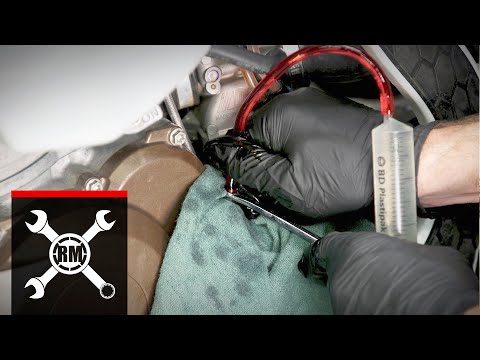 Husqvarna Tx 300
 How to Replace the Clutch Fluid of the Husqvarna TX 300? To replace the clutch fluid of the Husqvarna TX 300, open the cover of the box located near the lever on the left side of the handlebars. The fluid must be …Read all… Posted on 14 June 2026 by ScegliAuto 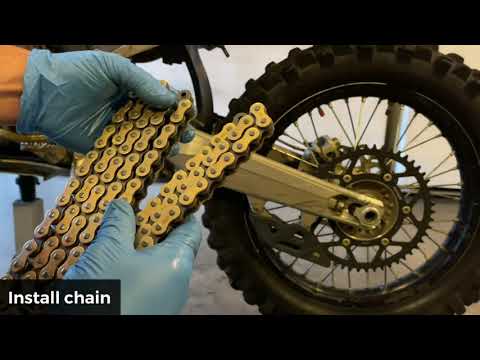 Husqvarna Tx 300
 How to Replace the Sprocket, Pinion, and Chain on a Husqvarna TX 300 In this video tutorial, see how to disassemble and replace the transmission kit (sprocket, pinion, and chain) on the Husqvarna TX 300 enduro bike. First, …Read all… Posted on 12 June 2026 by ScegliAuto  Husqvarna Tx 300
 Replacing the front bulb on Husqvarna TX 300 Unscrew the central upper screw that secures the small front fairing of the bike containing the headlamp. Disconnect the wires. With this part removed from the …Read all… Posted on 5 June 2026 by ScegliAuto |
How to reset the tyre pressure warning light on a Hyundai Tucson
Below are the instructions to reset the tyre pressure warning light (TPMS) on a Hyundai Tucson. First, get into the vehicle and turn on the instrument cluster; then navigate to the vehicle settings until you reach the tyre pressure monitor, identifying the tyre with incorrect pressure. At this point, restore all tyre pressures according to the specifications indicated on the label; this will reset the TPMS and the warning light will be cleared from the instrument cluster! by ScegliAuto More videos
|
|
For advertising on this site Write to info@scegliauto.com
ScegliAuto is not responsible for any inaccuracy of the data in the lists. To report any inaccuracy or your business (if you own the business in question), please write to info@scegliauto.com
Number of seconds to generate the page: 0.006
(c) ScegliAuto 2026 - info@scegliauto.com - Privacy policy VAT number: IT01247470535 |
