
|
Do it yourself
| |||
| ||||


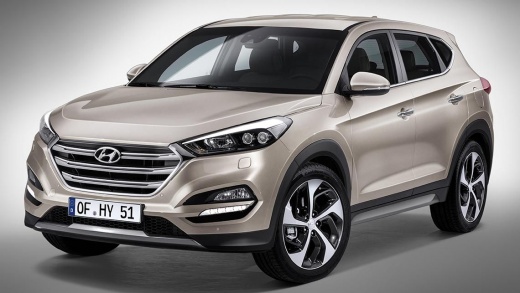
How to start a Hyundai Tucson with a dead remote control battery
Model: Hyundai Tucson
MK 3, TL
- Years:
2015, 2016, 2017, 2018, 2019, 2020, 2021
Video tutorial
In this video we can see how to start a Hyundai Tucson with a dead remote control. This procedure only applies to vehicles with push-button start. We are inside the car, and if we try to press the start button, the display says "key not detected". To overcome this inconvenience, we must start the car normally by pressing the start button, but not with our finger, but with the top part of the remote control itself. This way the car recognizes the key code and starts normally; but we must not forget to replace the remote control battery as soon as possible.
Posted on 8 December 2024 by ScegliAuto
Related tutorials
Hyundai Tucson
(2022-2026 /
NX4, MK 4)
Is the key for your Hyundai Tucson flat or malfunctioning, preventing access to the vehicle? Don't worry, here's how to use the key in these emergenc…
Hyundai Tucson
(2010-2015 /
MK 2, LM)
Here’s a guide on how to disassemble and replace the battery in the key fob for the Hyundai Tucson in simple steps. First, take the key fob and use a…

Hyundai Tucson
(2022-2026 /
NX4, MK 4)
In this video, see how to start a Hyundai Tucson or Kona HEV with a flat battery. These full hybrid cars have two batteries: a traction battery and a…
Other guides you may be interested in
|
How to open the bonnet on a Volkswagen Golf?
In this tutorial, you will see how to open the bonnet on a Volkswagen Golf MK4. This is a very simple operation that follows the standard procedure. First, open the driver's door, then locate the lever in the lower left area and pull it. Next, move to the front of the vehicle, lift the bonnet slightly, and find the second lever located just above the Volkswagen logo. At this point, simply pull it towards you, fully open the bonnet, and secure it with the prop rod. To close it, gently push it down. by ScegliAuto More videos
|
|
For advertising on this site Write to info@scegliauto.com
ScegliAuto is not responsible for any inaccuracy of the data in the lists. To report any inaccuracy or your business (if you own the business in question), please write to info@scegliauto.com
Number of seconds to generate the page: 0.108
(c) ScegliAuto 2026 - info@scegliauto.com - Privacy policy VAT number: IT01247470535 |
