
|
Do it yourself
| |||
| ||||


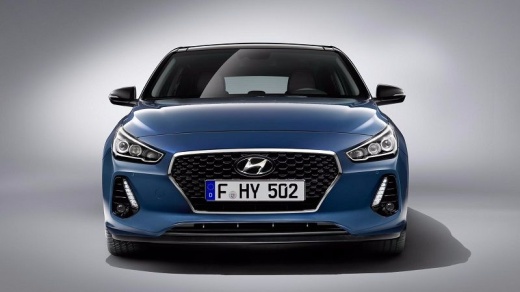
What is the reset button on the Hyundai I30 car radio?
Model: Hyundai I30
MK 3, PD
- Years:
2016, 2017, 2018, 2019, 2020, 2021, 2022, 2023, 2024
Video tutorial
The video guide presented here is aimed at all recently built Hyundai brand cars, so we can consider it valid also for the Hyundai i30. We learn how to reset our car radio by performing a single and short action. In practice, next to the buttons located under the touchscreen display on the dashboard, there is a very small hole in which to insert a very thin object, such as a needle, a paper clip, etc. This action performs a total and general reset, restarting the same car radio from scratch and allowing us to resume normal controls such as volume, station search, and so on.
Posted on 13 June 2025 by ScegliAuto
Related tutorials
Hyundai I30
(2011-2016 /
GD, MK 2)
This guide explains how to replace the remote key battery on a Hyundai i30 vehicle. To perform this simple task, you will need a flathead screwdriver…

Hyundai I30
(2011-2016 /
GD, MK 2)
To connect your smartphone to the Bluetooth radio in a Hyundai i30, start by turning on the instrument cluster and activating the connection via the …

Hyundai I30
(2011-2016 /
GD, MK 2)
If you notice the service light illuminating on the display of your Hyundai i30 when you start the car, despite having already serviced it, you need …
Other guides you may be interested in |
How to reset the tyre pressure warning light on the Kia Niro EV?
To reset the tyre pressure warning light on the Kia Niro EV, inflate the tyres until they reach the correct pressure value. This value is indicated on the sticker attached to the driver's door pillar. Once the tyres are inflated, turn on the instrument cluster to check that the warning light has completely disappeared from the display. If it is still present, you may need to drive for a few miles to ensure it disappears completely from the screen. by ScegliAuto More videos
|
For advertising on this site Write to info@scegliauto.com
ScegliAuto is not responsible for any inaccuracy of the data in the lists. To report any inaccuracy or your business (if you own the business in question), please write to info@scegliauto.com
Number of seconds to generate the page: 0.101
(c) ScegliAuto 2026 - info@scegliauto.com - Privacy policy VAT number: IT01247470535 |
